Text to Image AI: Generate images from text
Turn abstract ideas into clear, controllable visuals simply by describing them in natural language—covering realistic, illustration, and concept art needs. Suitable for every stage of the creative process, from initial inspiration through to finished images.
Examples of Text to Image AI
Text to Image is a way of generating images from text descriptions. Enter a written explanation of your picture—no drawing skills or complex settings required. The system understands your intent and produces structured visuals with a clear style, perfect for brainstorming, drafts, and creative production.
Photograph / Landscape
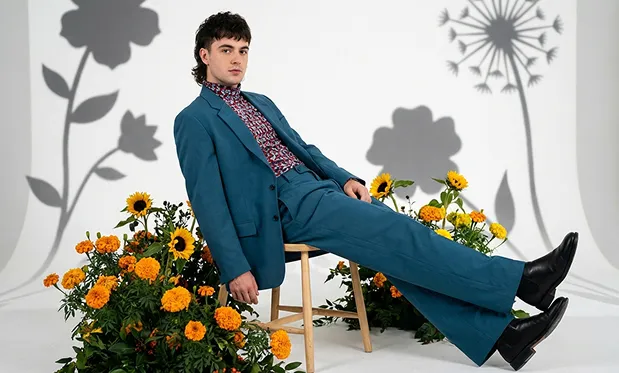
A man in a blue suit and patterned shirt is reposed on a small stool surrounded by vibrant orange and yellow flowers against a white background. The imag...
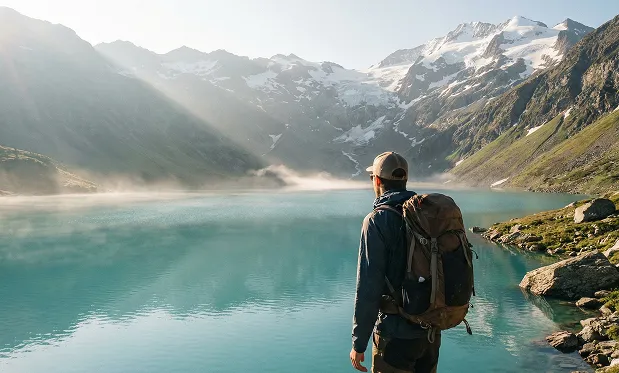
Ultra realistic cinematic landscape, a lone traveler standing beside a turquoise alpine lake, snow-capped mountains in background, soft morning sunlight, li...
Natural Language Image Editing
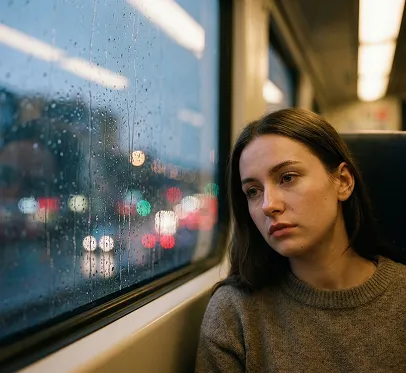
source image
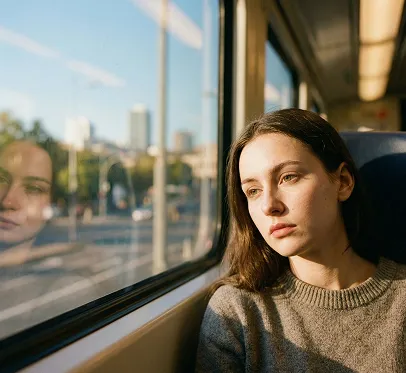
Change the weather in the picture to a sunny afternoon.
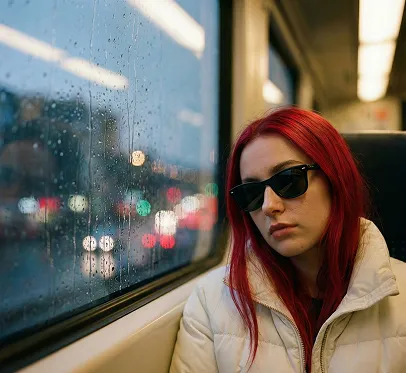
Change the person in the picture's clothes to a white cotton-padded jacket, their hair to red, and make them wear black sunglasses.
Text Editing
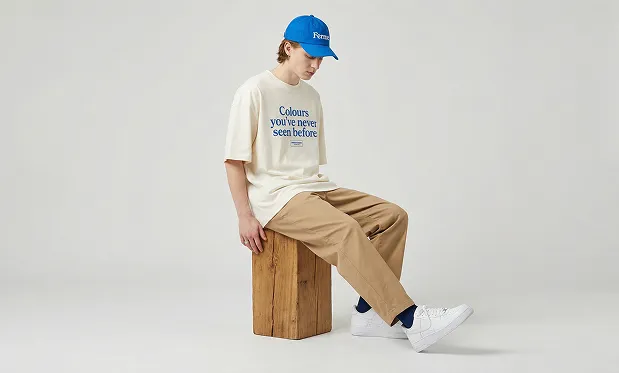
source image
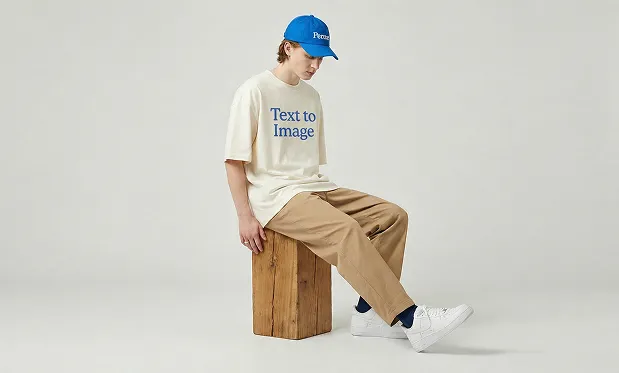
Replace the text 'Colours you've never seen before' on the person's clothing in the image with 'Text to Image'.
Core Features of Text to Image
Focuses on both text understanding and image generation to deliver stable, controllable visual outputs for a variety of creative needs.
Image Generation from Natural Language
Describe characters, scenes, styles, or moods in everyday language—key details are automatically detected and converted into visual elements. Even abstract prompts yield clear subjects and structured compositions, ideal for rapidly exploring creative directions.
Stylistic & Visual Control
Produce realistic, illustrative, or conceptual visuals by adjusting your text input. Instructions about atmosphere, color, or texture result in stable changes to the image’s look, supporting flexible style switching for different creative requirements.
Detailed and Accurate Rendering
Captures facial features, clothing textures, lighting, and material cues with clarity—distinguishing materials like metal, fabric, or skin so images match real-world references or design targets.
Smart Composition & Scene Understanding
Automatically arranges subject and background relationships, manages proportions, and configures space to avoid crowding or imbalanced layouts, resulting in consistently coherent visuals.
Advantages of Text to Image AI
Balances deep semantic text understanding with generation stability for ongoing, high-frequency creative workflows.
Consistent Output Results
Delivers stable styles and image structures under similar prompts, minimizing unwanted randomness and making it easy to repeatedly refine and compare results.
Broad Applicability
Ideal for creative art, product concepts, educational images, and content illustrations—serving a wide range of user needs.
Accurate Semantic Interpretation
Effectively understands character relationships, actions, and scene logic, reducing visual errors caused by complex prompts.
Low Learning Curve
Full-featured generation via text input alone—no need to master complex parameters. Anyone can quickly produce comprehensive images.
Use Cases of Text to Image AI
Useful for multiple stages from idea exploration to content publishing—empowering efficient visual expression.
Creative Ideation
Quickly generate sketches during early project stages to test concepts, discuss directions, or supplement inspiration.
Brand & Product Visuals
Create concept or mood images from product descriptions to help communicate design ideas and visual positioning.
Media & Social Content
Generate stylish, consistent images for covers, illustrations, or marketing materials—to elevate overall visual impact.
Art Creation & Restoration
Digitally reprocess existing works for style experiments, detail completion, or visual restoration.
Steps to Use Text to Image
Text to Image step-by-step guide.
Step 1
Enter a text description of your image. Try to include the main subject, style, and scene information for best results.
Step 2
Choose the image aspect ratio or composition direction according to your needs.
Step 3
Confirm your generation settings and start generating the image.
FAQs about Text to Image
Frequently asked questions about using Text to Image.
More articles about Text to Image AI
Learn how Text to Image AI can help you bring your ideas to life and easily create stunning images.