Image to Image AI: Edit or improve your images
Regenerate existing images with new styles, details, or formats—while preserving the original structure and core information. Perfect for creative workflows that require building on top of an existing photo.
Examples of Image to Image AI
Image to Image AI is an image generation method based on existing photos. Upload your original image, and the system will analyze its composition, subject, and structure, then recreate it using your text description. Compared to starting from scratch, it emphasizes inheritance and optimization, and is ideal for creative tasks needing concrete references or visual consistency.
Photograph / Landscape
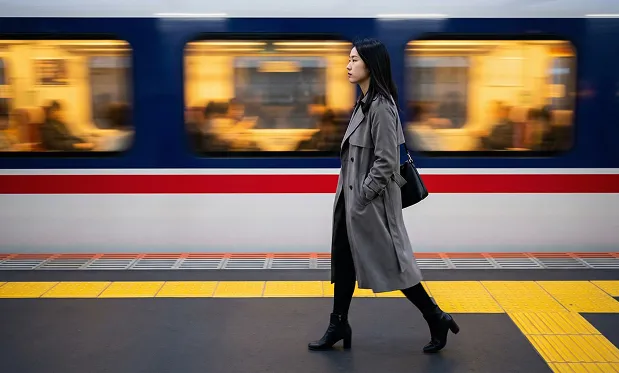
A stylish woman walks along a train platform as a blurred train speeds by. The image shows a young Asian woman in profile, walking from right to left acr...
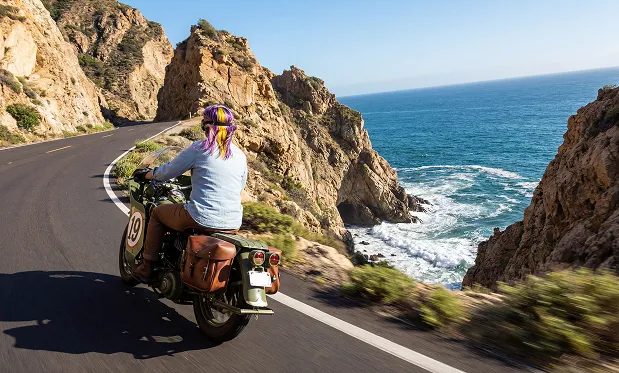
A person rides a green motorcycle along a winding coastal road, with the deep blue ocean stretching out beside steep cliffs. The image portrays a dynami...
Natural Language Image Editing
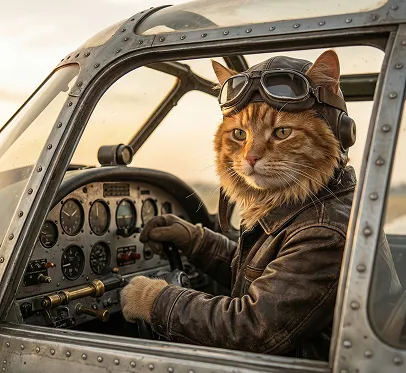
source image
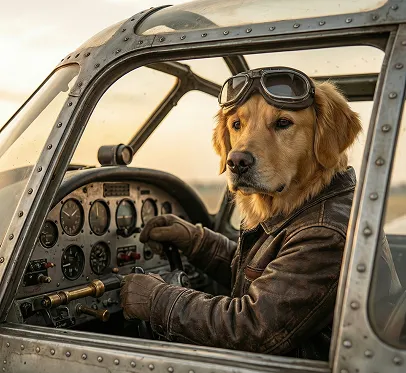
Replace the cat in the picture with a dog.
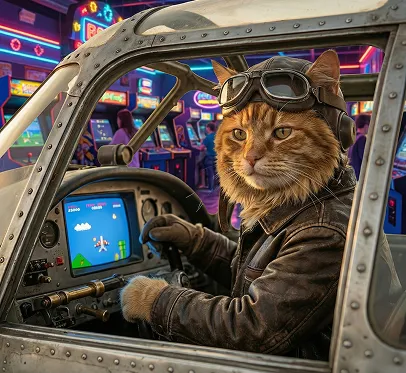
Replace the background in the image with an arcade scene, and the airplane with a flying game console design.
Text Editing
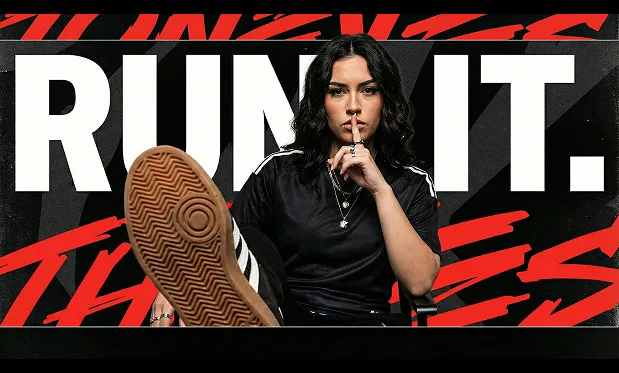
source image
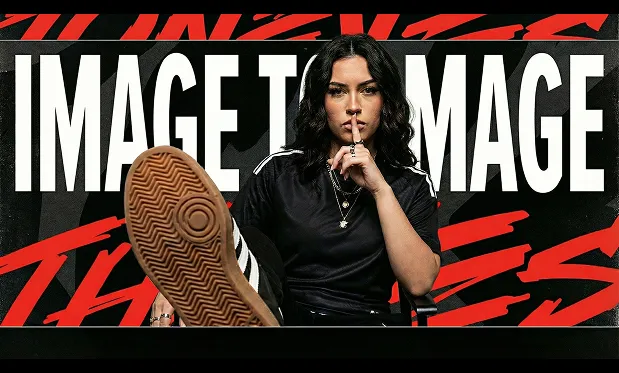
Replace the text 'RUN IT.' in the image with 'Image to Image.'
Core Features of Image to Image AI
Balances 'preserving original image information' and 'reconstructing the image as needed,' achieving harmony between structural stability and creative flexibility.
Image Reconstruction Based on Original Photos
Retains the primary forms, spatial relationships, and key outlines of the original image during generation, only adjusting style, detail, or presentation method—avoiding deviations from your intended content.
Structural and Composition Fidelity
Recognizes main structural frameworks in the image and maintains overall proportions and layout during transformation. New images generated stay highly consistent with the original composition—ideal for iterative design workflows.
Style and Detail Adjustment
Adjust artistic style, material effects, and visual atmosphere through text prompts. Change the artistic expression or texture layering while preserving the underlying content.
Multi-Model Adaptation for Diverse Needs
Switch between different generation strategies based on image complexity or goals—supporting photorealism, style change, or detail enhancement as the situation demands.
Advantages of Image to Image AI
Compared to text-only generation, emphasizes controllability and consistency—perfect for users requiring precise visual outcomes.
Predictable Results
Because outputs are based on your original image, generated results are more stable in subject and structure, reducing randomness and unpredictability.
Ideal for Fine-Tuning
Iteratively modify prompts on the same base image to approach your ideal style—commonly used for design optimization and option comparison.
Accurate Semantic Understanding
Combines image analysis with your prompts for high-fidelity intent matching—avoiding mismatched elements or logic conflicts with the source image.
Covers Broad Creative Needs
Equally suited for subtle style tweaks and bold visual reworkings—offers high flexibility and wide application.
Use Cases for Image to Image AI
Ideal for creative workflows that build on or transform existing visuals.
Film, TV & Concept Art
Upgrade rough sketches or low-resolution images to complete concept art for scene development or visual direction exploration.
Fashion & Product Design
Generate new materials, colorways, or style versions from original design drafts, improving design presentation efficiency.
Art Creation & Restoration
Digitally reprocess existing works for style experiments, detail completion, or visual restoration.
Social Media Content Creation
Generate images for social media posts, covers, or illustrations to enhance visual impact and engagement.
Image to Image: Step-by-Step Guide
Follow these simple steps to use Image to Image for transforming your visuals:
Step 1: Upload Your Source Image
Select or drag and drop the original image you want to transform. Make sure the main subject is clear.
Step 2: Add Your Description & Adjust Ratio
Enter a text description explaining your desired effect or style. Optionally, adjust the aspect ratio as needed.
Step 3: Generate & Refine
Start the image generation process and review the results. You can continue refining your description for improved effects.
Image to Image: Frequently Asked Questions
Answers to common questions about Image to Image:
Learn More About Image to Image AI
Learn more about Image to Image AI and how it can help you enhance, restyle, or reinvent your favorite photos and artwork.