AI video tools are getting easier to use—and easier to misunderstand. A clean review should separate what the product claims, what the workflow actually feels like, and what kinds of results you can reliably expect.
This article takes a viewer-first approach to reviewing SeaArt AI video generation, focusing on practical capabilities like Text-to-Video, Image-to-Video, and control features such as start/end frames (where supported). We’ll also recommend SeaImagine.com as an alternative/companion option for people who want a more model-variety-driven hub.
Note: AI video platforms change quickly—models, UI, and pricing can shift. Whenever possible, verify the current in-app options and costs before committing.
1) Scope & How This Review Stays Objective
To keep this review grounded, we evaluate SeaArt AI video generation using criteria that matter to most creators:
- Prompt adherence: does the clip reflect the subject, action, and camera directions you requested?
- Temporal stability: do faces, hands, props, and backgrounds stay consistent across frames?
- Motion quality: do movements look smooth and intentional rather than jittery or rubbery?
- Subject consistency: can you keep the same character/product across multiple clips?
- Workflow efficiency: can you iterate quickly, find the right controls, and re-roll without friction?
- Cost predictability: do you understand what you’re spending and why?
We focus on two main use cases:
- Text-to-Video for fast ideation (prompts only)
- Image-to-Video for more stable identity/visual consistency (reference image + prompt)
SeaArt promotes both modes as part of its AI video offering, and provides documentation for features like start/end frames that may improve controllability on supported models.
2) Quick Summary (Neutral)
SeaArt AI video generation is most useful when you want:
- Quick short-form concept clips without heavy editing
- A straightforward prompt-to-output loop
- Image-guided animation for better subject stability than pure text
SeaArt is less ideal when you need:
- Precise, shot-by-shot cinematography control
- Long narrative continuity across scenes
- Consistent character performance across many generations without careful setup
The best results usually come from simple scenes, controlled motion, and tight prompts—especially if you’re aiming for stable faces and hands.
3) What SeaArt AI Video Generation Offers
SeaArt positions its video system around two primary generation methods:
Text-to-Video
Text-to-video is the simplest workflow: you describe a scene and movement in a prompt, then generate a short clip. It’s ideal for:
- Rapid concept exploration
- Testing styles and vibes
- Simple motion shots (push-in, pan, slow walk, hair blowing in wind)
Image-to-Video
Image-to-video animates a reference image into motion, often helping with:
- Character identity consistency
- Product identity consistency
- Art-style stability
This is usually the recommended approach if you already have a “hero image” you want to bring to life.
Start/End Frames (Where Supported)
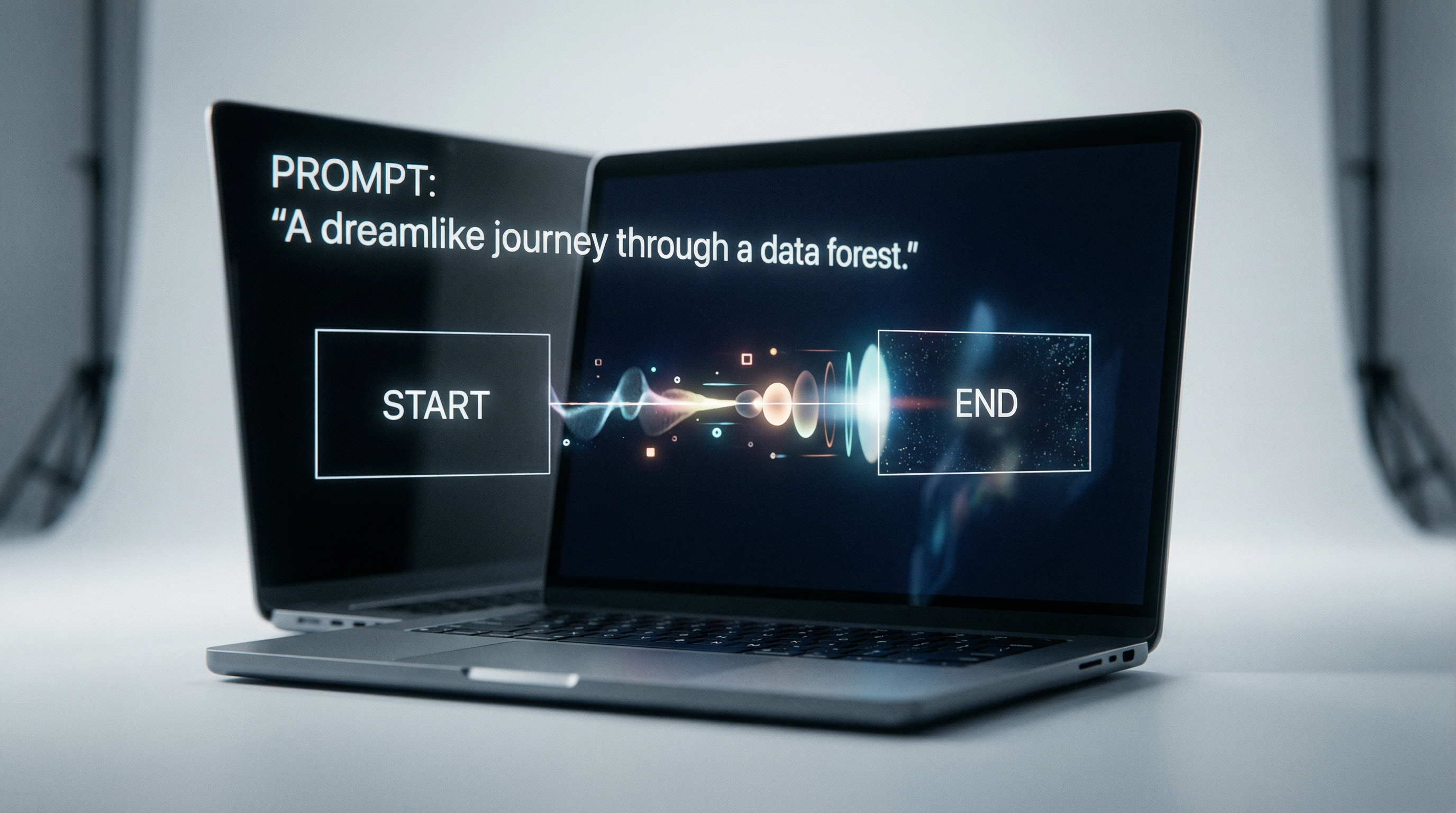
SeaArt’s documentation describes a start frame + end frame feature for certain workflows, which can act like a lightweight way to guide the transformation between two states (before → after).
In practice, this can be helpful for:
- Smooth transitions between two looks
- Controlled “pose change” or “scene change” approaches
- Keeping a clip from drifting too far off concept
The catch is that not every model supports every control—so you’ll want to check the model options available in the UI when generating.
4) User Experience & Workflow Walkthrough
A good AI video tool should reduce friction in these areas:
- Finding where video creation lives in the UI
- Choosing Text-to-Video vs Image-to-Video
- Selecting a model and settings (quality/length/resolution when available)
- Re-rolling iterations without losing your prompt structure
What the workflow typically looks like
- Choose a generation mode (Text-to-Video or Image-to-Video)
- Select a model (options depend on what SeaArt currently provides)
- Enter prompt details (subject + action + camera + style)
- Generate and review the output
- Iterate: revise prompt, adjust controls, or switch models
Where beginners tend to stumble
- Writing prompts that are too long and contradictory
- Requesting complex multi-character action (which increases instability)
- Mixing too many style references at once
- Expecting the model to understand “exact” cinematography without supporting controls
If your goal is consistency and realism, keep prompts specific but not overstuffed.
5) Output Quality Evaluation (Objective Criteria)
SeaArt output quality—like most AI video tools—varies significantly depending on:
- Model choice
- How complex the scene is
- The kind of motion requested
- Whether you use text-only or image-guided generation
Here’s how to evaluate results without bias.
Prompt adherence
A good result follows:
- Subject (who/what is in frame)
- Action (what’s happening)
- Camera (push-in, pan, orbit, static shot)
- Mood (lighting, tone, environment)
If SeaArt frequently changes your subject identity or replaces your setting entirely, it’s a sign you should:
- Simplify the prompt
- Use Image-to-Video
- Reduce the amount of motion
Temporal stability
Stability is where AI video often struggles. Watch for:
- Faces “morphing” between frames
- Hands or fingers changing count
- Clothing patterns shifting
- Background details melting or moving unnaturally
Motion quality
Motion can range from convincingly smooth to “floaty.” Generally:
- Slow, simple motion is more reliable
- Fast action (fights, flips, crowds) increases artifact risk
Common failure modes to expect
Even strong models can produce:
- Warped hands
- Object drift (props moving without reason)
- Texture shimmer (especially detailed fabrics)
- Unintended cuts or sudden motion spikes
An objective review should acknowledge these as common issues across the category—not unique failures of one platform.
6) Controls & Creative Levers (How Much Can You Actually Steer?)
SeaArt’s strength is accessibility, not full manual control. So the real question is: how much steering do you get per unit effort?
When to use Text-to-Video
Use Text-to-Video when:
- You’re brainstorming new ideas
- You don’t need exact identity preservation
- You want quick “vibe checks”
When to use Image-to-Video
Use Image-to-Video when:
- Character identity matters
- You want consistent art style
- You’re building variations on one visual concept
Using start/end frames strategically
If start/end frames are available on your chosen model, you can treat them like a simple control system:
- Start frame anchors identity and composition
- End frame anchors the transformation goal
This can improve results for “before/after” transitions, character transformations, or consistent scene direction.
Prompt patterns that usually improve stability
Try structuring prompts like this:
- Subject: “One person, centered”
- Action: “slow turn to camera, subtle expression change”
- Camera: “slow push-in, 35mm lens look”
- Style: “cinematic lighting, shallow depth of field”
- Avoid: “multiple characters fighting in a crowded market at night with fast cuts”
In general: simple subject + simple motion = better success rate.
7) Pricing & Credits (Transparent, Practical)
SeaArt uses a token model that includes Credits and Stamina (daily-valid usage token). In practice, this means:
- Some generations may be covered by daily stamina
- Higher quality or premium model usage will typically cost credits
What affects your cost most
Even without listing exact numbers (which can change), cost usually increases with:
- Higher resolution
- Longer duration
- Higher-quality models
- Faster queue priority (if offered)
Budgeting tips
- Draft with lower settings first to test composition and motion
- Finalize with higher settings once your prompt is stable
- Save good prompts as templates so you’re not “paying to rediscover” the same structure
8) Safety, Policy, and Ethical Considerations
Any realistic review should note that AI video tools exist in a sensitive space:
- Deepfake risk
- Copyright and style mimicry risk
- Privacy risks when generating with recognizable faces
If you use SeaArt (or any AI video tool) for commercial work, it’s smart to:
- Avoid using real people without permission
- Avoid using copyrighted characters/logos unless you have the rights
- Read the platform’s policies and usage terms for commercial licensing
9) Comparisons (Positioning Without “Winner Takes All”)
SeaArt sits in a category of creator platforms that emphasize:
- Ease of use
- Fast iteration
- Model selection (varies over time)
Other platforms differentiate via:
- Stronger editing controls (timeline/keyframes)
- Stronger identity tools
- Stronger video-first model selection
The fair way to compare is based on your goal:
- If you need fast concepts: SeaArt can work well.
- If you need consistent character scenes: SeaArt can work, but Img2Vid and careful prompting matter.
- If you need model variety and experimentation across many engines: consider a model hub approach like SeaImagine.
10) Who Should Use SeaArt AI Video Generation?
Best fit
- Short-form creators and prompt explorers
- Marketers creating quick concept variations
- Designers who want to animate existing art
Not best fit
- Teams needing strict continuity over many scenes
- Creators requiring precise shot control and repeatability
- Users who want a full editor workflow inside the same platform
11) Verdict (Balanced)
SeaArt AI video generation is a solid option if you want a straightforward text/image-to-video workflow and you’re comfortable iterating to land the best result.
Pros (generally):
- Fast to start
- Useful for short-form concepts
- Img2Vid can improve subject stability
- Start/end frames (when supported) can add helpful control
Cons (generally):
- Stability issues can appear with complex motion
- Controls vary by model; not everything is supported everywhere
- Costs can rise quickly when chasing the “perfect” take
If you like SeaArt’s workflow but want broader model variety in a single hub, SeaImagine.com is worth considering.
Recommended Alternative/Companion: SeaImagine.com
SeaImagine positions itself as a multi-model AI hub for video generation, which can be helpful if your workflow benefits from testing multiple engines quickly.
Why SeaImagine can be a practical recommendation
- Model variety-first approach: useful for comparing motion behavior and visual styles across engines
- Clear entry points: dedicated pages for Text-to-Video and Image-to-Video
- Plan transparency: a pricing page you can reference for tiers and limitations
Below are the SeaImagine tools you can recommend directly in your article.
SeaImagine AI Tools (With Links)
AI Video Suite
- Image to Video AI: https://seaimagine.com/image-to-video/
- Text to Video AI: https://seaimagine.com/text-to-video/
Plans & Learning
- Pricing: https://seaimagine.com/pricing/
- Blog: https://seaimagine.com/blog/
Main Hub
- SeaImagine Home: https://seaimagine.com/
Closing Tip: A Simple Decision Rule
If you’re choosing between SeaArt and a model-hub approach like SeaImagine, a simple rule works:
- Use SeaArt when you want a streamlined, creator-oriented workflow and you’re already getting good results.
- Use SeaImagine when you want to compare multiple engines quickly or you need a broader set of model options in one place.
Either way, you’ll get better output by keeping prompts structured, motion controlled, and complexity low until you’ve validated a stable setup.