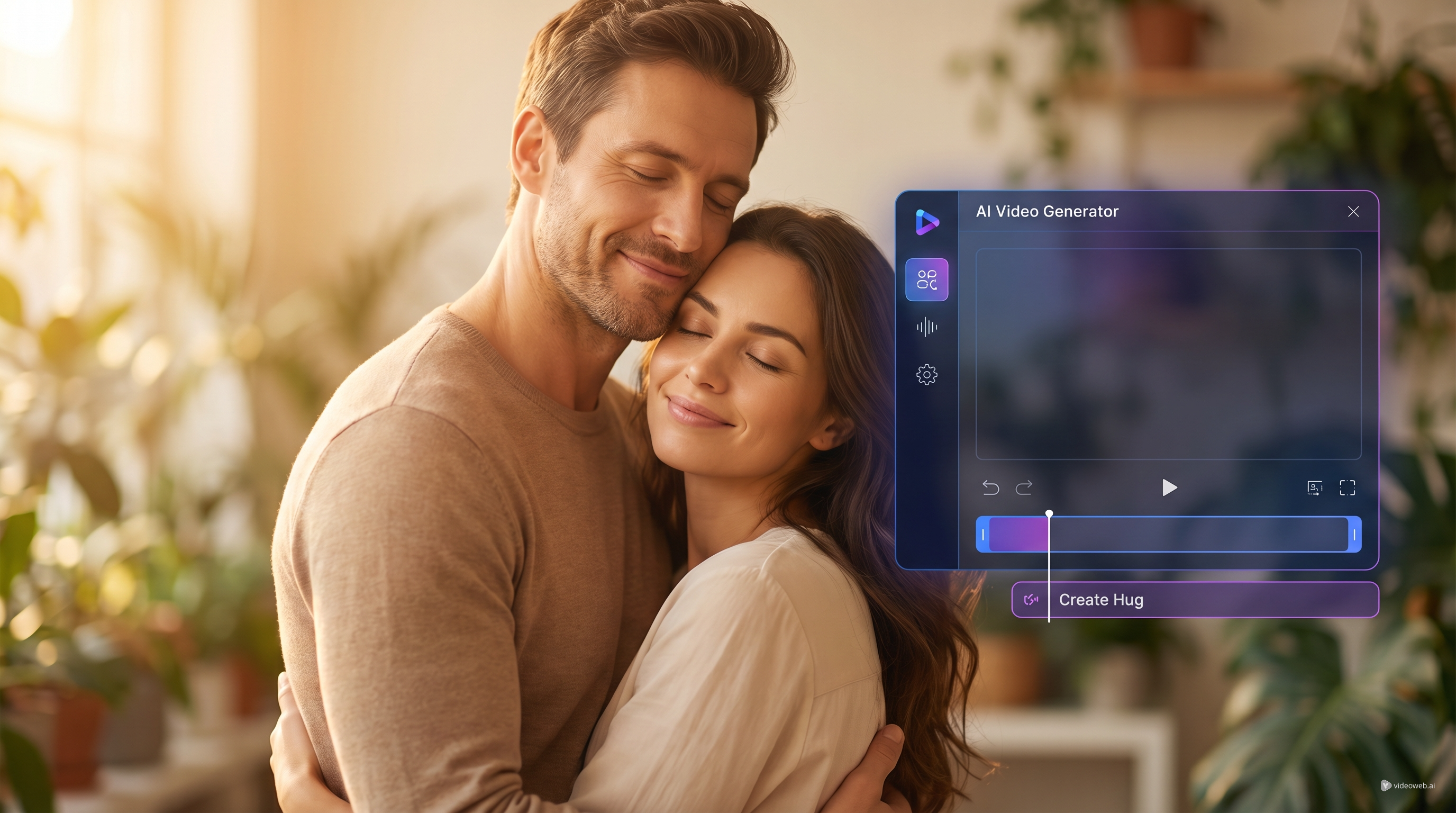
Creating an emotional video used to mean editing software, layered timelines, and a lot of trial and error. Now the process is much simpler. With SeaImagine’s AI hug video generator, you can turn still photos into a short hugging clip that feels personal, expressive, and easy to share.
This kind of tool is especially useful when you want to create a sweet social post, a birthday surprise, a reunion-style video, or a memory-driven clip from photos you already have. SeaImagine AI keeps the workflow beginner-friendly, so you do not need advanced editing skills to get started. And because the platform offers a free AI hug video generator experience through sign-up credits and daily check-ins, it is also easy to test the tool before committing to a bigger workflow.
Why This AI Hug Video Format Feels So Personal
A hug is simple, but it carries a lot of emotion. That is why this format works so well for short-form content. Instead of making a generic slideshow, you can use an AI hug generator to create movement, closeness, and a stronger emotional payoff from two still images.
For creators, this is useful in several ways. It can help you make sentimental TikTok or Reel-style clips, animate family photos for special occasions, or create a virtual embrace for someone who is far away. It also works well for memorial content, friendship edits, and romantic storytelling.
Compared with a general AI video generator, this tool is more focused. You are not starting from a blank prompt and hoping the model understands the scene. Instead, you are guiding the result with real photos, which makes the final video feel more grounded and specific.
What You Need Before You Start
Before opening the tool, it helps to prepare the right kind of images. SeaImagine’s AI hug video generator works best when both faces are clear, the lighting is decent, and the subjects are easy to separate from the background.
A few simple prep tips can improve the result right away:
- Choose photos where the faces are visible and not blocked by hair, sunglasses, hands, or heavy filters.
- Try to use images with similar quality levels. If one image is sharp and the other is blurry, the merge may feel uneven.
- Pick photos with natural body angles. Extreme poses can make the motion look less convincing.
- Avoid overcrowded backgrounds if the people are small in the frame.
If you are working with older family images, you may want to clean them first with Old Photo Restorer. If you do not have the right source image yet, you can also make one with SeaImagine’s AI Image Generator before moving into video creation.
How to Use SeaImagine’s Tool Step by Step
Using the tool is refreshingly straightforward.
- Open the AI hug generator on SeaImagine AI.
- Sign in or create an account so you can use your available credits. The platform also offers daily check-ins, which helps if you want to try the free AI hug video generator workflow first.
- Choose the generation method that matches your setup. In the interface, you may see options such as using multiple photos or a two-person photo workflow.
- Upload your image or images in a supported format such as JPEG, PNG, or WEBP.
- Add a short prompt if you want to shape the mood or the style of the hug.
- Click Generate and review the output.
That is the core process. The main thing to remember is that this is not about writing a long cinematic screenplay. The better strategy is to keep your instructions clear and focused, then improve the result with better images or a cleaner prompt if needed.
How to Get More Natural Results
The biggest difference between an average result and a touching one usually comes from restraint. A good AI video generator workflow does not always mean adding more detail. Often, it means removing what the model does not need.
Start with a simple direction such as “gentle warm hug, natural movement, soft emotional atmosphere.” If the first result feels stiff, change the source images before making the prompt more complicated. Better inputs often matter more than longer instructions.
It also helps to match the emotional tone to the image style. A polished studio portrait may work well with a soft cinematic prompt. A casual phone photo may look better with a natural reunion-style direction. When the photo and the prompt feel aligned, the result usually looks more believable.
If you want to experiment beyond hugs, SeaImagine also gives you room to branch out. Image to Video is useful when you want to animate a single still image, while Text to Video is better when you want to build a scene entirely from words.
Best Ways to Use AI Hug Videos for Content
This format is not only for personal memories. It also works well for social media storytelling.
A few practical use cases include:
- birthday or anniversary surprise posts
- friendship edits and reunion clips
- long-distance relationship content
- family memory videos
- tribute or remembrance posts
- emotional promotional content built around human connection
Because the output is short and emotionally direct, it fits the style of modern short-form platforms very well. A strong caption, a soft music layer, and a meaningful image choice can do a lot of the work. That is one reason an AI hug video generator can be more effective than a broader creative tool when your goal is emotional impact rather than spectacle.
Common Mistakes to Avoid
The most common mistake is assuming the tool will fix weak inputs automatically. Even the best AI hug generator still depends on photo clarity, composition, and realistic expectations.
Try to avoid these issues:
- heavily edited or filtered portraits
- two images with very different angles or lighting
- cluttered prompts with too many style demands
- tiny faces or distant full-body shots
- generating too many times before changing the actual source material
A second mistake is treating it like a one-button miracle. Think of it more like a guided creative tool. The process is easy, but better choices still lead to better results.
For many users, SeaImagine works best as part of a small creative chain: generate or clean the source image, create the hug clip, then test other motion ideas with a broader AI video generator workflow on the same platform.
More Tools to Try
- Image to Video for animating a single photo into motion
- Text to Video for prompt-based scene creation
- AI Image Generator for creating source images before video generation
- AI Baby Dance Generator for playful social-video ideas
- Old Photo Restorer for improving older photos before using them in an AI hug video
Related Articles
- SeaImagine AI Text-to-Video Guide: How to Choose Models and Create Better Clips
- How to Use Sea Imagine AI’s Image Generator: A Beginner-Friendly Tutorial
- Kling 3.0 Review: Is It the Best AI Video Generator Yet in 2026?