Motion Control Generator
Upload Reference Video
Upload a reference video that shows the motion you want to transfer, such as dancing, walking, gestures, or other dynamic actions.
Upload Reference Image
When a reference video is uploaded, the prompt is optional.
Prompt
Add an optional prompt to refine animation style, expression, scene, and details for your AI Motion Control Video.
Version

AI Motion Control Generator: Make Motion Animation Videos

Use the AI Motion Control Generator to animate an uploaded image subject with motion from a reference video. Powered by Kling Motion Control, the tool reads the action, pose, body movement, expression, and camera rhythm from your video, then applies that motion to the person, character, or object in your image.

Example

Motion Control Video Examples of AI Motion Control Generator

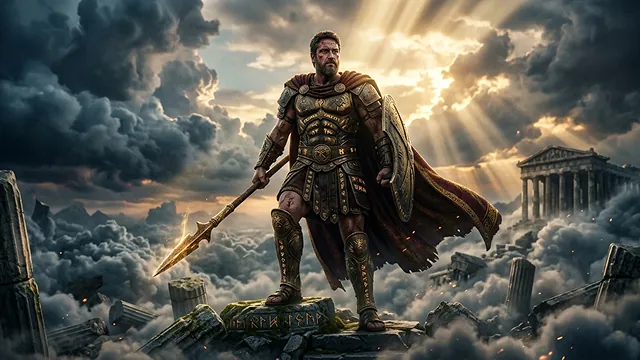
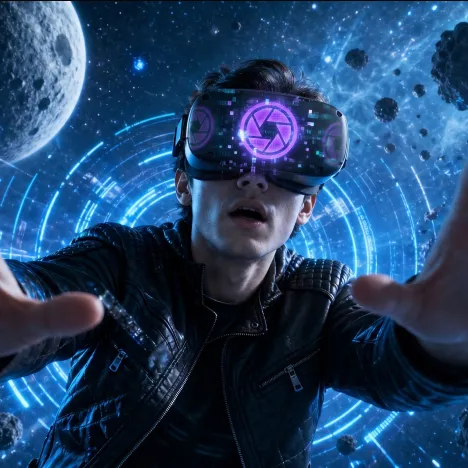
Explore how AI Motion Control turns a static image into a dynamic video by following reference actions. Upload a walking, dancing, posing, product movement, performance, or gesture video, then pair it with a character or subject image to animate image content into a motion-matched AI video.

Original Image
AI Motion Control Video
Prompt
AI Motion Control Video
Video
Feature

Core Features of AI Motion Control Generator

The AI Motion Control Generator combines reference video motion extraction, image subject animation, Kling Motion Control, prompt guidance, and flexible video output for controllable AI video creation.

Try NowCore Features of AI Motion Control Generator

Reference Video Motion Transfer

Upload a video that shows the action you want to copy. The generator analyzes movement trajectory, pose changes, rhythm, and body direction, then transfers those motion cues to the uploaded image subject.

Image Subject Animation

Upload a clear image of a person, character, or object, and the subject will be animated to mimic the reference video's motion while keeping the original identity and visual style more consistent.

Kling Motion Control Workflow

Built around Kling Motion Control, the generator helps align subject posture, facial expression, body motion, camera direction, and scene continuity for smoother motion-control video results.

Prompt-Guided Refinement

Use prompts to refine expression, posture, action details, character direction, background style, and creative intent, helping the output better match your final video goal.

Advantage

Advantages of AI Motion Control Generator

AI Motion Control Generator helps creators produce controlled animation from existing motion references without manual keyframing, complex tracking, or professional video editing software.

More Controllable Motion

Instead of relying only on text prompts, you can provide a real reference video so the generated subject follows a clearer action pattern, rhythm, and pose sequence.

Better Subject Consistency

The uploaded image guides the final subject appearance, helping the video preserve character identity, clothing, face details, product shape, or visual style across frames.

Faster Creative Production

Create walking shots, dance clips, gesture videos, performance scenes, and product movement concepts without building animation rigs or editing motion frame by frame.

Flexible Creative Use

Use the same image with different motion videos, or reuse the same motion reference with multiple characters, products, avatars, and visual concepts.

Scenario

Use Cases for AI Motion Control Generator

AI Motion Control Generator is useful for creators, marketers, designers, storytellers, avatar builders, and product teams that need reference-based image animation.

Character and Avatar Animation

Animate portraits, illustrated characters, brand mascots, virtual influencers, game characters, and avatar images with walking, dancing, posing, or performance motions.

Social Media Motion Effects

Create short motion-control videos for TikTok, Instagram, YouTube Shorts, reels, memes, trend clips, and creator posts using a reference action video and image.

Marketing and Product Motion

Apply motion references to product photos, campaign visuals, fashion images, or promotional characters to create more dynamic video assets for ads and launches.

Manual

How to Use AI Motion Control Generator

Create a motion-controlled AI video in three simple steps.

Upload a reference action video

Upload an image and add a prompt for motion details

Generate, preview, and download your motion control video

FAQ

AI Motion Control Generator FAQ

Try More AI Motion Control & Video Sharing in social media

Discover additional AI-powered creative tools to enhance your video content and animation process.

Guides & Inspirations about AI Motion Control Video Generator