If you’re choosing between Nano Banana 2 and Seedream 5.0, the quickest way to decide is simple: Nano Banana 2 is often the “fast ideation” pick, while Seedream 5.0 is usually the “controlled, polished output” pick. But the difference really shows up when you test both models with the same prompts and the same settings.
In this guide, you’ll learn how to compare them fairly, how to write prompts that work across both, and how to build a repeatable workflow inside the AI image generator so you can get consistent results instead of random luck.
Quick definitions: what Nano Banana 2 and Seedream 5.0 mean in practice
Both models can create impressive images, but they tend to shine in different phases of your creative process.
Nano Banana 2 (best for speed and variation)
Nano Banana 2 is the model you reach for when you want:
- Lots of variations quickly
- Bold reinterpretations and “surprise” ideas
- Fast draft loops for concepting, thumbnails, and style exploration
In other words, it’s great when your first priority is to generate options.
Seedream 5.0 (best for prompt fidelity and clean composition)
Seedream 5.0 is the model you reach for when you want:
- Stronger adherence to your instructions
- Cleaner composition and fewer distracting artifacts
- More “client-ready” output when you need a consistent look
If your goal is a cohesive series—product visuals, posters, campaign creatives—Seedream 5.0 usually fits that mindset.
You can run both models inside the same workflow on Sea Imagine AI by starting here: AI image generator.
Sea Imagine AI interface walkthrough (so you can follow along)
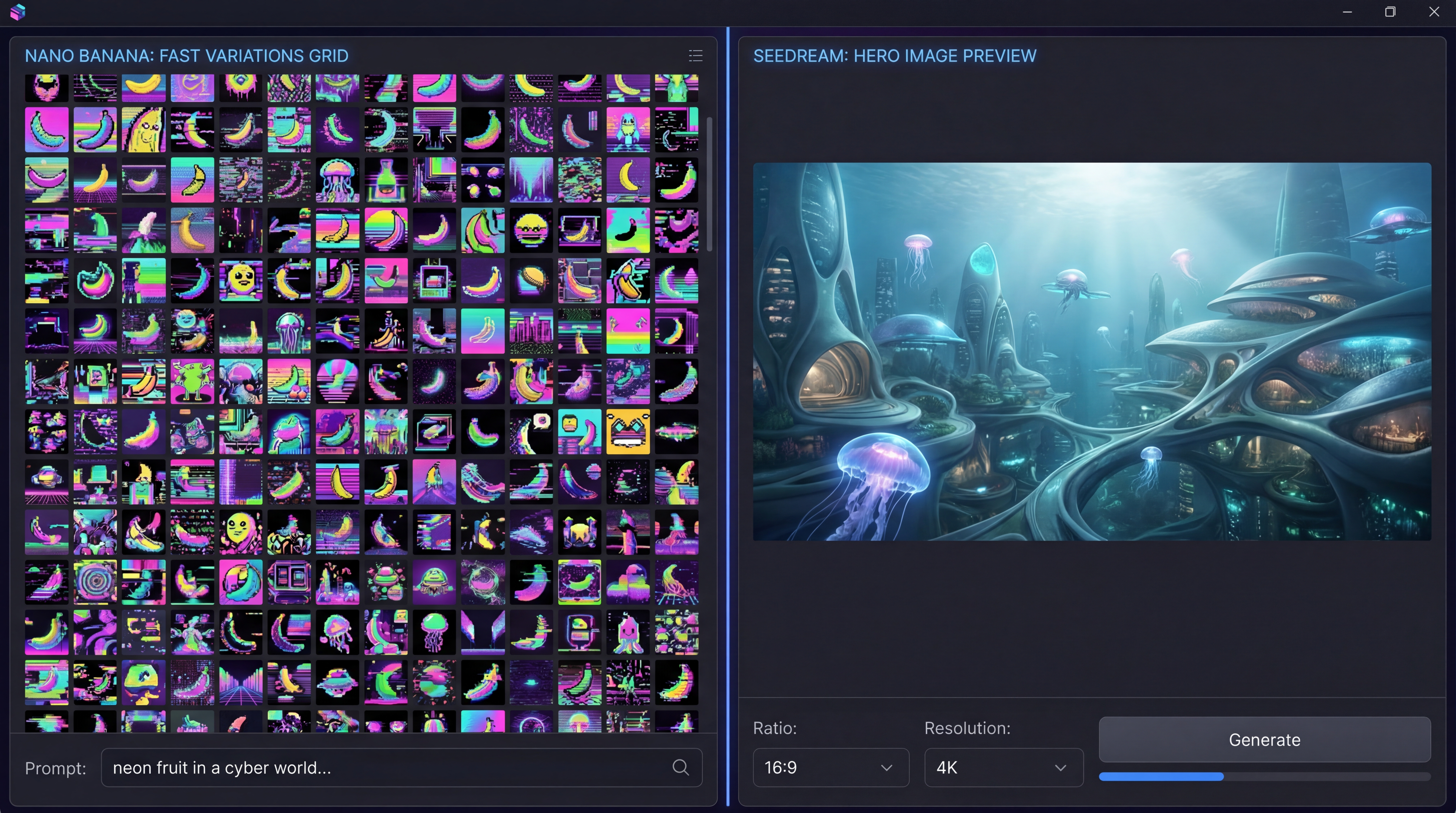
When you open the AI image generator page, you’ll typically see a simple layout that matters more than it looks:
- Model selector: where you switch between Nano Banana and Seedream models.
- Image upload area: optional, but extremely useful for stability (especially for characters and products).
- Prompt box: where you describe your scene.
- Optimize Prompt: a helper that can polish your prompt, but you should still control the creative intent.
- Ratio + Resolution controls: these dramatically affect framing and detail.
A practical habit: don’t change everything at once. If you’re testing, lock your ratio and resolution and only change one thing per iteration.
How to compare Nano Banana 2 vs Seedream 5.0 fairly
Most comparisons are unfair because people “try a few prompts” and decide based on a single lucky output. Here’s a simple benchmark that produces reliable conclusions.
The “same prompt, 3 runs” rule
For every prompt:
- Run it three times on Nano Banana 2.
- Run it three times on Seedream 5.0.
- Keep ratio and resolution identical.
- Save the “best” and also look at the average.
This tells you whether a model is consistently good—or just occasionally brilliant.
A 10-prompt test set that covers real creator needs
Use these categories for a balanced comparison:
- Photoreal portrait (skin + lighting)
- Hands holding an object (failure-prone)
- Product packshot (clean background)
- Interior scene (straight lines + geometry)
- Landscape atmosphere (depth + haze)
- Character concept art (costume detail)
- Poster composition (text area, but minimal text)
- Food photography (texture + gloss)
- Stylized illustration (line control)
- Complex prompt (multiple constraints)
Run them inside your online AI art generator workflow so you can compare results apples-to-apples.
A simple scoring rubric (1–5 each)
Give each image a score for:
- Prompt adherence
- Anatomy and structure
- Artifact level (warping, duplication, glitches)
- Style match
- Overall appeal
You’ll usually find one model “wins” specific categories, which makes your choice easy.
Prompt framework that works on both models (copy/paste)
The biggest improvement you can make is switching from “vibes” to structure. Treat the prompt like a tiny creative brief for a text to image AI.
The 6-block prompt structure
1) Subject + action Who/what is the focus, and what are they doing?
2) Environment Where is it happening?
3) Composition Wide shot / close-up, centered product, rule-of-thirds, etc.
4) Lighting Time of day, key light direction, contrast level.
5) Style Photoreal, 3D render, watercolor, ink illustration.
6) Quality + constraints Sharp focus, clean background, stable face, natural proportions.
Keep negative constraints short
Instead of a giant “negative prompt,” use a short stability line:
- “no extra fingers, no warped text, no deformed face, no duplicate subjects, clean edges”
Overdoing negative constraints can flatten creativity and sometimes causes the model to “overcorrect.”
Three ready-to-use prompts
1) Realistic portrait (safe, consistent)
A realistic portrait of a young adult with natural skin texture and subtle pores, soft expression, looking slightly off camera. Mid shot, 50mm lens look, shallow depth of field. Soft window light from the left, gentle rim light, neutral background. Cinematic color grading, sharp eyes, stable face, natural proportions, clean edges, no extra fingers.
2) Product hero packshot (brand-friendly)
A premium studio product photo of a matte-black insulated bottle on a minimal pedestal. Centered composition, clean seamless background, softbox lighting with controlled reflections. High detail, crisp silhouette, realistic shadows, sharp focus, no warped logos, clean edges, no clutter.
3) Stylized concept art (high imagination, controlled)
A fantasy ranger standing on a cliff above a foggy forest, cloak flowing in the wind. Wide cinematic composition, dramatic clouds, god rays through mist. Painterly concept art style, rich textures, detailed costume design, strong silhouette, no duplicated limbs, stable face, clean edges.
Use these inside the AI picture generator workflow and only swap the subject details as needed.
Workflow guides: what to do depending on your goal
Fast ideation workflow (Nano Banana-first)
If you want options fast:
- Start with Nano Banana 2 and generate 6–12 variations.
- Pick your top 2 based on composition and mood.
- Rewrite the prompt using the 6-block structure.
- Generate 2–3 refined versions.
This is the “creative director” approach: generate a mood board quickly, then narrow down.
Controlled output workflow (Seedream-first)
If you want fewer surprises and more control:
- Start with Seedream 5.0 using a structured prompt.
- Iterate composition first (pose, framing, background simplicity).
- Then iterate detail (texture, costume, lighting).
Seedream tends to reward the “one change per iteration” rule.
Image-guided workflow (best for consistency)
If you need stable identity—same character, same product, same framing—use image guidance.
- Upload a reference image.
- Specify what changes (style, lighting, environment) and what stays the same (identity, pose, silhouette).
- Iterate with small edits.
This is the most reliable way to produce a cohesive set with an AI art creator.
Head-to-head: what creators actually care about
Here’s how to evaluate both models in the real world.
1) Speed and iteration cadence
If you’re brainstorming, speed matters. Nano Banana 2 typically feels better for rapid exploration because you can generate many options and quickly spot a direction.
Use Nano Banana 2 when you want volume and variety.
2) Prompt fidelity and composition control
This is where Seedream 5.0 often wins: it tends to respect instructions like “centered product,” “clean background,” and “single subject.”
Use Seedream 5.0 when you want predictable composition.
3) Detail quality: faces, hands, textures
Both models can struggle with hands, but your workflow determines success. If hands matter, reduce complexity and focus on one action. For faces, keep the prompt consistent and consider a reference image.
Tip: when you’re chasing realism, lighting and camera language (lens, depth of field) matters more than extra adjectives.
4) Style range and aesthetics
Nano Banana 2 can be great for bold stylization and creative reinterpretation. Seedream 5.0 can be great for cohesive “series” work.
Best combined workflow: explore in Nano Banana 2 → finalize in Seedream 5.0.
5) Text rendering (posters, packaging)
If you need readable text, keep it minimal. Many creators generate the art, then add typography in design tools. When you do include text, use short words and large type zones.
Troubleshooting: quick fixes for common failures
If the image looks busy or incoherent
- Remove extra objects.
- Reduce background detail.
- Lock composition first, then add elements.
If faces or hands drift
- Reduce modifiers.
- Focus on one subject.
- Use a reference image.
- Repeat identity tokens (hair, clothing, age range, expression).
If the model ignores your instructions
- Move the most important constraint to the first line.
- Replace vague words (“cool,” “nice”) with concrete cues (shot type, lighting, composition).
If it’s sharp but feels “dead”
Add one cinematic cue:
- “soft rim light”
- “atmospheric haze”
- “shallow depth of field”
One strong cue is better than ten weak ones.
Which should you choose? A simple decision guide
Pick Nano Banana 2 when…
- You want fast ideation and lots of options
- You’re exploring styles, characters, or concepts
- You don’t mind a few wild takes to find a winner
Pick Seedream 5.0 when…
- You want reliable prompt adherence
- You’re making product visuals or campaign creatives
- You need a cohesive set that looks consistent
Recommended combined workflow
If you want the best of both:
- Draft in Nano Banana 2 (variation volume).
- Rewrite prompt with the 6-block structure.
- Refine in Seedream 5.0 (composition and polish).
- Export your final.
All of this can be done inside the same advanced AI image generator page.
Other tools on Sea Imagine AI to try next
After you pick your “winner” model, you can expand your workflow using other Sea Imagine tools:
- Text to Image for fast, prompt-only pipelines.
- Image to Image for controlled edits, restyling, and structure-preserving transformations.
- Image to Video to animate your best images into short motion clips.
Final checklist: use this every time
If you want consistent results (and faster improvement), follow this routine:
- Start with the AI image generator.
- Lock ratio and resolution.
- Use the 6-block prompt structure.
- Run “same prompt, 3 runs” when comparing models.
- Iterate one change at a time.
- Use a reference image when identity or branding matters.
Nano Banana 2 and Seedream 5.0 can both be excellent—what matters is matching the model to your phase of work. Use Nano Banana 2 to discover strong ideas quickly, and use Seedream 5.0 to turn those ideas into clean, confident final images.