1. ChatGPT Image 2 vs Seedream 5: The Quick Answer
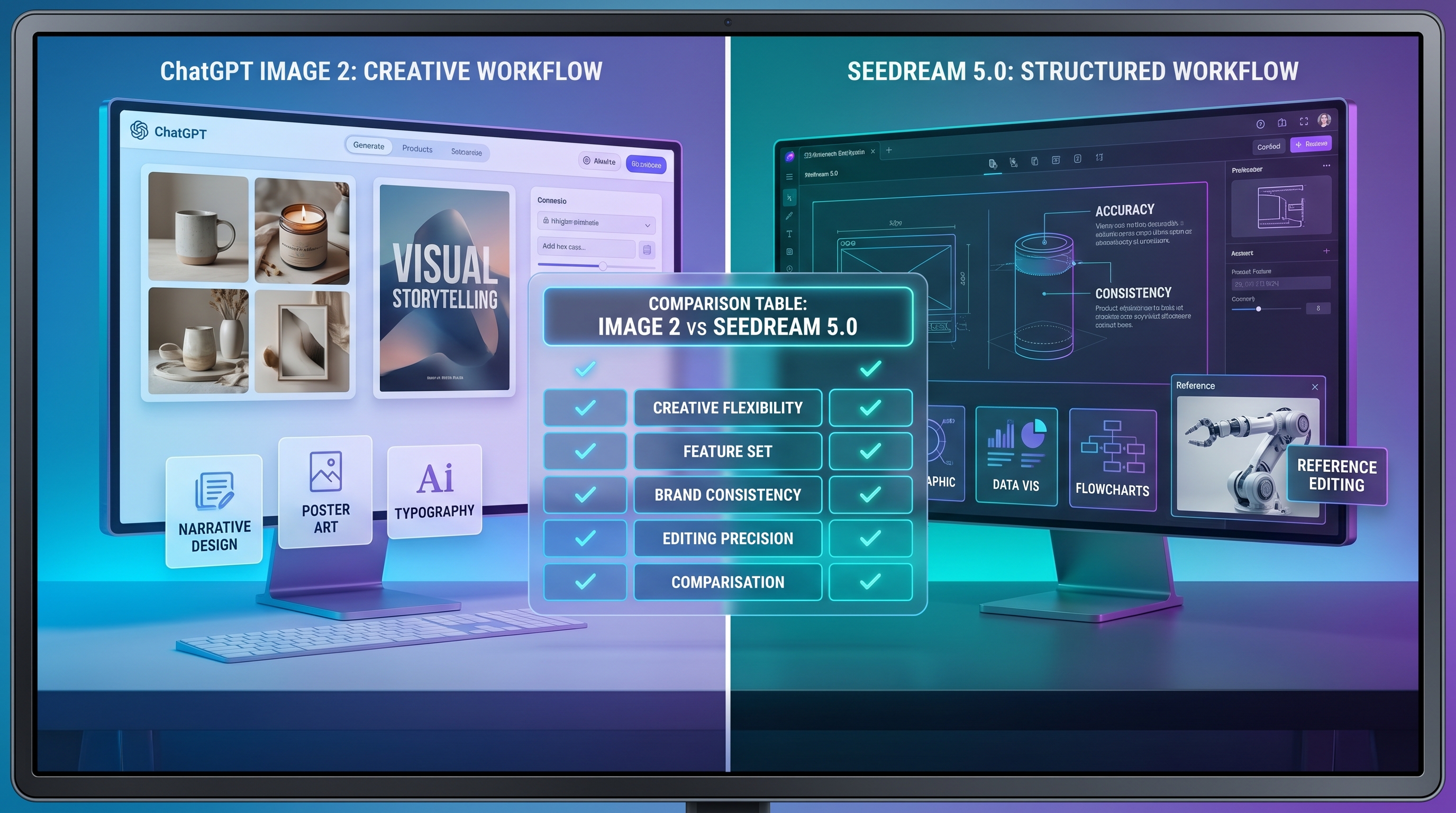
If you are choosing between ChatGPT Image 2 vs Seedream 5, the practical answer depends on the job. GPT Image 2 is a strong choice when you need polished creative generation, realistic scenes, visual storytelling, editing from text and image inputs, and professional-looking design drafts. Seedream 5.0 is a strong choice when you need structured image generation, logical layouts, consistent visual elements, high-resolution output, and a hands-on image workflow on SeaImagine.
For creators, marketers, designers, e-commerce sellers, and content teams, the difference is not only “which model looks better.” A useful AI image model needs to follow prompts, place elements clearly, handle text well, preserve visual identity, and support fast iteration. If your project is a campaign poster, product image, infographic, brand visual, social media graphic, or creator asset, your best model is the one that matches the purpose of the image.
The Seedream 5.0 AI Image Generator is especially useful for users who want to generate, edit, and refine images online with prompt input, image upload, ratio choices, resolution controls, and prompt optimization. SeaImagine AI should be understood as an independent creative platform, not as an official partner of OpenAI, ByteDance, or any model provider unless confirmed.
2. What GPT Image 2 Does Well
A practical GPT Image 2 comparison starts with its main strength: it is built for high-quality image generation and editing from text and image inputs. That makes it useful for realistic photography, polished creative concepts, design iteration, product scenes, editorial visuals, educational graphics, and image edits where the user wants natural-language control.
GPT Image 2 is also valuable when a visual needs to communicate clearly. OpenAI’s public materials emphasize stronger text rendering, multilingual support, realistic and stylized output, flexible formats, and more useful image creation for real workflows. For marketers and designers, that matters because posters, thumbnails, product campaigns, and infographics often need readable words, clear hierarchy, and visual polish.
Good ChatGPT Image 2 prompts should read like creative briefs. Instead of writing “make a product ad,” describe the product, target use, composition, lighting, background, exact text, visual mood, and constraints. GPT Image 2 can be strong when the prompt includes a clear purpose: “Create a square social media ad,” “Design a clean app hero image,” or “Edit this product photo into a premium studio scene.”
The main thing to remember is that GPT Image 2 should not be judged only by pretty output. Its advantage is broad creative flexibility: it can help draft realistic scenes, style explorations, text-heavy visuals, image edits, and polished concept directions. You still need to review details carefully before using any output in public-facing design.
3. What Seedream 5.0 Does Well on SeaImagine
Seedream 5.0 AI is presented on SeaImagine as a model focused on logical reasoning, structural understanding, image generation, and detailed editing in one system. That makes it especially relevant for diagrams, product explanations, visual layouts, brand assets, educational materials, and images where the arrangement of elements matters.
The Seedream 5 image generator is not only about making attractive pictures. It is designed for tasks that need structure: clear spatial relationships, multi-step prompt instructions, consistent characters or elements, and editable compositions. For example, a content team might need a product feature breakdown with labels. A teacher might need a visual explanation. A brand team might need a sequence of images where the same mascot, product, or design language stays consistent.
SeaImagine’s page also highlights high-resolution output, unified generation and editing, reference image use, local adjustments, object removal, background replacement, and visual consistency. Those features make Seedream 5.0 useful when the image is part of a workflow rather than a one-off experiment.
A good Seedream 5.0 prompt guide should focus on structure. Describe where each object goes, how elements relate to each other, what must stay consistent, and what part should be editable later. Instead of only describing style, include layout logic: “place the product on the right,” “use three labeled steps,” “keep the same mascot across all panels,” or “show before and after sections with a clear divider.”
4. Side-by-Side Comparison: Quality, Text, Editing, and Control
Neither model is automatically better for every project. The best choice depends on the content type, layout complexity, and how much editing control you need.
| Category | ChatGPT Image 2 | Seedream 5.0 | Best Choice |
|---|---|---|---|
| Realistic photography | Strong for realistic scenes, product mood shots, and polished creative images | Strong when realism needs structured placement or product clarity | GPT Image 2 for broad realism; Seedream 5.0 for structured product scenes |
| Text rendering and typography | Stronger focus on readable text and designed layouts | Useful when text belongs inside structured diagrams or explanations | GPT Image 2 for expressive typography; Seedream 5.0 for structured text layouts |
| Product visuals | Good for premium product scenes and campaign-style images | Good for feature breakdowns, e-commerce layouts, and consistent product positioning | Seedream 5.0 for product explanation; GPT Image 2 for campaign visuals |
| Infographics and structured layouts | Useful for educational and editorial visuals | Strong fit for logical layouts, diagrams, charts, and spatial relationships | Seedream 5.0 |
| Image editing | Good for text/image input editing and creative iteration | Strong unified generation and editing workflow on SeaImagine | Depends on edit type |
| Character or brand consistency | Useful with careful prompting and references | Strong focus on consistent characters and elements | Seedream 5.0 |
| Poster and ad design | Strong for polished campaign concepts and creative direction | Strong for structured layout and controlled visual hierarchy | Tie, depending on style |
| Social media content | Strong for broad formats and creative campaigns | Strong for reusable brand templates and consistent assets | GPT Image 2 for variety; Seedream 5.0 for consistency |
| Beginner workflow | Easy if the user can write clear creative prompts | Easy on SeaImagine with prompt optimization and web controls | Seedream 5.0 on SeaImagine for hands-on workflow |
| Professional design iteration | Strong for concept drafts and creative exploration | Strong for layout refinement and repeated edits | Use both depending on stage |
5. Best Use Cases: Which Model Should You Choose?
Use GPT Image 2 when your project needs polished creative images, realistic scenes, visual storytelling, editorial concepts, poster drafts, or flexible prompt-to-image exploration. It is a strong option when you want a model that can move between photography, illustration, typography, concept art, and professional creative layouts.
Use Seedream 5.0 when your project depends on structure, consistency, and editing. That includes infographics, diagrams, product explanations, branded visual series, e-commerce images, educational graphics, and images where elements must stay organized. If you need the same character, product, color system, or layout logic across multiple generations, Seedream 5.0 may be the more practical choice.
SeaImagine AI is useful when you want a hands-on online workflow instead of only reading model announcements. You can start with the AI Image Generator for general visual creation, use Text to Image when you are beginning from a written prompt, or use Image to Image when you already have a reference image and want to refine or transform it.
For e-commerce sellers, Seedream 5.0 is attractive for structured product displays and feature explanations. For bloggers and social media teams, GPT Image 2 is useful for visual storytelling and post-ready creative drafts. For designers, the smartest workflow may be to test both: GPT Image 2 for broad creative direction, Seedream 5.0 for controlled layout and refinement.
6. Prompt Tips for Better Results in Both Models
Start with the purpose. Say whether the image is for a product page, poster, Instagram carousel, blog header, infographic, app hero image, YouTube thumbnail, or brand campaign. The model should know what the image needs to do.
Then define the subject, layout, lighting, style, background, and output format. For a product visual, include surface, camera angle, shadows, packaging, and negative space. For a poster, specify title placement, subtitle, hierarchy, and color palette. For an infographic, describe sections, labels, arrows, icons, and reading order.
When typography matters, write the exact text and where it should appear. For example: “Add the headline ‘Fresh Start’ at the top center in large clean sans-serif type. Do not add any other text.” This is especially important for ads, posters, thumbnails, and educational visuals.
Use reference images when consistency matters. If you need the same product, character, outfit, logo-like mark, or brand mood, a reference can guide the visual direction. For Seedream 5.0, describe spatial relationships clearly. For GPT Image 2, describe creative direction and final use clearly.
Avoid contradictory prompts. “Minimalist, detailed, realistic, watercolor, cyberpunk, luxury, cartoon” gives too many directions at once. Choose one main style and one supporting influence. Iterate one variable at a time: first composition, then lighting, then text, then background.
7. SeaImagine Workflow: From Image Generation to Video Content
A strong image can become more than a still asset. On SeaImagine, users can start with Seedream 5.0 or another image tool, refine the visual, then extend it into motion for campaigns, social media, product demos, or storytelling.
If you have older source material, Old Photo Restorer can help restore or enhance old images before using them in a creative workflow. Photo to Cartoon is useful when you want a stylized portrait or cartoon direction. If your still image is strong enough to become a video concept, Image to Video AI can turn it into a moving scene, while Text to Video AI can help when you want to start from a written video idea.
SeaImagine also offers model-based alternatives for different creative needs. Seedream 4.5 AI can be useful for earlier Seedream-style workflows. Nano Banana 2 AI is worth testing for alternative image generation styles. For video direction, Seedance 2.0 and Happy Horse 1.0 can help turn visual ideas into motion. Grok Imagine can also be part of broader model comparison when creators are testing different creative behaviors.
The practical workflow is simple: generate a strong still image, refine the structure, save the best version, then use it as a concept board, first frame, or reference for video creation.
8. Final Verdict: GPT Image 2 or Seedream 5?
GPT Image 2 is a strong choice for broad creative image generation, realistic scenes, visual storytelling, text-aware design drafts, and polished prompt-driven visuals. It is especially useful when the project needs flexibility and art direction.
Seedream 5.0 is a strong choice for structured outputs, logical layouts, visual consistency, editing, high-resolution content, and hands-on SeaImagine workflows. It is especially useful when the project needs order, repeatability, and clear communication.
The best answer is not “always use one.” Use GPT Image 2 when you need flexible creative generation. Use Seedream 5.0 when you need structured design control and consistency. Use SeaImagine AI when you want an online platform for testing, refining, and extending images into broader image and video workflows.
Prompt Examples for ChatGPT Image 2 and Seedream 5.0
1. Product Image Prompt for GPT Image 2
Create a photorealistic product campaign image for a matte white skincare bottle on a warm beige stone surface. Use soft morning window light, realistic shadows, subtle condensation, clean negative space at the top for a headline, premium minimalist beauty brand mood, square format, no extra text, no watermark.
2. Product Image Prompt for Seedream 5.0
Create a structured e-commerce product image for a wireless charging stand. Place the product in the center-right, show three labeled feature callouts on the left, include small icons for “Fast Charge,” “Foldable,” and “Desk Friendly,” use a clean white-gray background, realistic product lighting, clear spatial layout, high-resolution output.
3. Poster Design Prompt for GPT Image 2
Design a vertical poster for a summer coffee launch. Central image: iced coffee glass with sunlight and condensation. Add the exact headline “COLD BREW DAYS” at the top in bold modern type and the exact subtitle “Smooth Energy, No Rush” at the bottom. Warm editorial photography style, clean hierarchy, no extra words.
4. Structured Infographic Prompt for Seedream 5.0
Create a clean infographic explaining a three-step AI image workflow. Use three horizontal sections labeled “Prompt,” “Generate,” and “Refine.” Include simple icons, arrows between steps, light blue and white palette, clear spacing, readable labels, logical layout, and room for a short caption under each step.
5. Social Media Campaign Image Prompt
Create a square social media image for a productivity app. Show a laptop and phone displaying a clean task dashboard, cozy desk setting, soft daylight, modern SaaS style, calm focused mood, negative space on the left for caption text, polished but realistic, output for Instagram and LinkedIn promotion.
6. E-Commerce Product Comparison Image Prompt
Create a product comparison image showing two travel mugs side by side. Left side labeled “Old Mug,” right side labeled “Smart Mug.” Use a clean split layout, neutral background, realistic shadows, clear labels, three feature bullets under the smart mug, readable typography, structured e-commerce style.
7. Brand Character Consistency Prompt
Create a brand mascot reference image for a friendly blue delivery robot. Show front view, side view, and three facial expressions in one organized character sheet. Keep the same proportions, color palette, rounded shapes, and cheerful personality across all views. Clean white background, labeled sections, high-resolution output.
8. Image-to-Video First-Frame Prompt for SeaImagine
Create a wide cinematic first frame for an image-to-video clip: a premium electric bicycle parked beside a quiet coastal road at sunrise. Use warm orange light, ocean cliffs in the background, realistic reflections on the bike frame, calm travel mood, clean composition, room for slow camera push-in and gentle wind motion.
Recommended SeaImagine AI Tools for Image Workflows
- Seedream 5.0 AI Image Generator — useful for structured image generation, high-resolution content, editing, and consistent visual elements.
- AI Image Generator — a practical starting point for general AI image creation.
- Text to Image — best when you want to begin from a written prompt.
- Image to Image — helpful when you already have a reference image and want to refine or transform it.
- Old Photo Restorer — useful for restoring older photos before using them in new creative projects.
- Photo to Cartoon — helpful for turning portraits or photos into cartoon-style visuals.
- Image to Video AI — useful for turning strong still images into motion concepts.
- Text to Video AI — practical when you want to generate video from a written scene.
- Seedream 4.5 AI — useful for comparing earlier Seedream-style image workflows.
- Nano Banana 2 AI — worth testing for alternative image generation styles.
- Seedance 2.0 — useful for turning image concepts into AI video ideas.
- Happy Horse 1.0 — practical for testing other AI video-generation directions.
- Grok Imagine — useful for broader creative model comparison.
Related Articles
- ChatGPT Image 2 Release and Prompt Guide
- Seedream 5.0 AI Image Generator Guide
- Nano Banana 2 vs Seedream 5.0 Comparison
- SeaImagine AI Image Generator Tutorial
- Text to Image Prompt Guide for Better Visuals
- Image to Image Editing Workflow for Creators
- Image to Video Workflow for AI Campaigns
- Seedream 4.5 vs Seedream 5.0 Comparison
People Also Read
- AI Image Model Comparisons for Creative Workflows
- Image-to-Video Ideas for Product and Social Campaigns
- Short-Form Video Workflows From Still Images
- AI Music Ideas for Image and Video Campaigns
- Model API Access Ideas for Advanced Creative Automation
- AI Tool Updates for Image and Video Creators
- UGC Ad Creative Workflows for Product Marketers
- AI Chat and Image Tools for Prompt Planning
- Virtual Try-On Workflows for Fashion Visuals
- AI Tattoo Design Ideas for Style Exploration