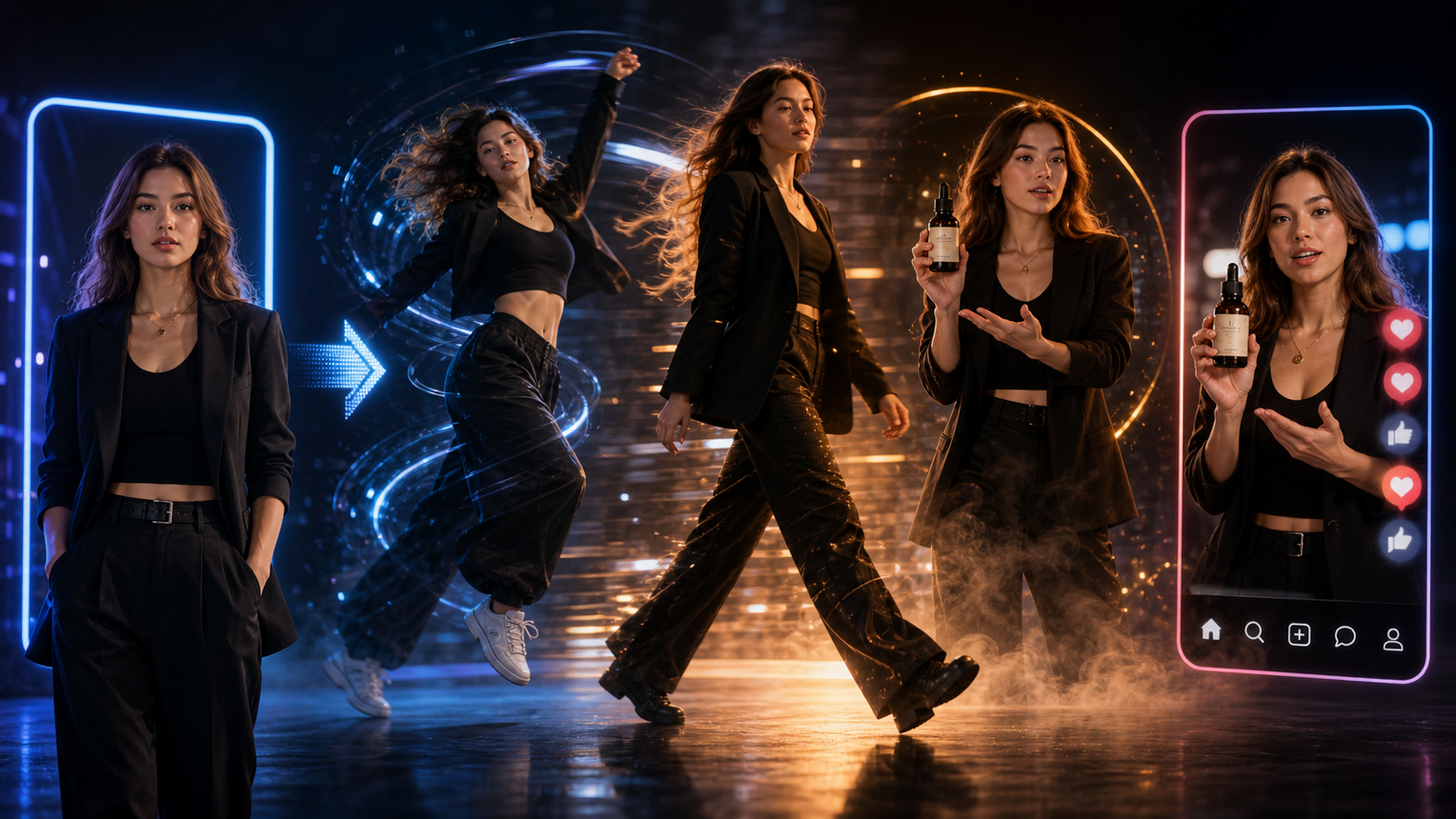
Kling Motion Control helps creators animate a still image by borrowing movement from a reference video. On Sea Imagine AI Motion Control Generator, the practical workflow is direct: upload a reference action video, upload an image, add motion details, and generate a video where the image subject follows the motion rhythm, pose changes, gestures, and camera feel from the reference clip. Treat every output as a creative draft, then verify pricing, credits, formats, duration, resolution, watermark rules, commercial-use rights, privacy settings, and source-video rights before publishing.

Why Kling Motion Control Matters for AI Video Creators
Kling Motion Control matters because it gives creators a clearer way to direct movement than a text prompt alone. Instead of describing a dance, walk, gesture, or reaction from scratch, you can use a reference video as the motion guide and an image as the visual subject. That makes the workflow useful for TikTok, Reels, Shorts, meme clips, avatar performances, product reveals, virtual influencers, and brand mascot experiments.
For beginners, the biggest benefit is repeatability. If a reference clip has a clean action rhythm, you can test the same movement on different characters, outfits, products, or campaign concepts. For experienced editors, the value is creative control: the motion reference can suggest timing, pose flow, hand movement, facial expression energy, and camera rhythm while the uploaded image controls the visual identity.
The key expectation is still realism with limits. Motion transfer can be strong when the reference video and source image match well, but it can drift when hands, faces, body proportions, crops, or camera angles conflict. Use Kling Motion Control AI as a fast creative testing system, not as a guaranteed final-shot machine.

What Kling Motion Control Does
Kling Motion Control transfers motion from a reference video onto an uploaded image subject. In plain language, the reference clip provides movement, and the image provides identity, style, outfit, product shape, or character design. Kling AI motion control is especially useful when you want the output to follow a specific dance, walk, gesture, facial expression change, action pose, or camera rhythm.
The official Kling AI Motion Control and Kling AI Motion Control User Guide are useful references for understanding the source feature. The Kling-MotionControl technical report also frames the method as motion-aware video generation rather than ordinary image animation. For publication, use these as technical context, then verify the live product behavior on Sea Imagine AI before making claims about current settings or limits.
In practice, Kling motion transfer works best when the subject type stays consistent. A full-body dance reference is better for a full-body character image than for a cropped portrait. A hand reveal reference is better for a product or creator image than for a mascot with no hands. The closer the starting pose and subject structure, the cleaner the motion-controlled draft usually becomes.

How Sea Imagine AI Motion Control Generator Works
Sea Imagine AI Motion Control Generator is the main tool to use when you want a direct reference-video motion workflow. The page is positioned around a simple motion-control sequence: upload a reference action video, upload an image, add motion details, and generate an AI video where the image subject follows the reference movement. That makes it a practical entry point for creators who want to animate a static image with AI without building a custom pipeline.
Use Sea Imagine AI as the broader creative hub. If the job is specifically image animation with a reference clip, use the motion-control generator. If you need general AI video creation, compare it with AI Video Generator, Image to Video, Text to Video, and model pages such as Kling 3.0 Turbo AI Video Generator, Grok Imagine 1.5 AI Video Generator, and Grok Imagine AI Video Generator.
Before publishing, check the official pricing, terms, and privacy policy. Do not assume current credit costs, supported file formats, duration, resolution, watermark status, commercial-use rights, or model availability without live verification.

What Kind of Reference Video Works Best
A good reference video has one clear subject, readable movement, stable lighting, and minimal occlusion. Kling motion control generator results are easier to review when the action is visible from start to finish. If the reference clip has people crossing in front of the subject, extreme blur, fast cuts, heavy camera shake, or hidden hands and feet, the transfer may become harder to control.
Use this reference-video preparation formula:
Choose a reference video with one clear subject, visible full-body movement, stable lighting, minimal occlusion, clean background, and readable action rhythm.
The movement should match the uploaded image subject's pose direction and body type as closely as possible.
For dance motion, use a short clip with the full body visible. For facial expression movement, use a stable portrait reference with clear eyes, mouth, and head motion. For product motion, choose a clip where the hand reveal, camera push-in, or rotation is simple and easy to track. For meme clips, keep the reaction readable rather than chaotic.

What Kind of Image Works Best for AI Image to Video Motion Control
The best source image is clean, centered, and structurally compatible with the reference video. For AI image to video motion control, the image should show the subject clearly and avoid heavy crops. A full-body action reference usually needs a full-body image; a hand gesture reference needs visible arms and hands; a facial expression reference needs a clean face with enough detail to preserve identity.
Use this image preparation formula:
Use a clean image of [person / character / avatar / mascot / product / fashion model / illustrated subject].
The subject should be centered, fully visible, not heavily cropped, and separated from the background.
Keep the pose close to the starting pose in the reference video for smoother motion transfer.
For avatar animation, preserve facial features, hairstyle, outfit, and body proportions in the prompt. For product motion, preserve product shape, label area, material texture, and scale. For illustrated characters, keep the starting pose close to the reference pose so the motion does not force the model to invent missing limbs, angles, or expressions.

Best Use Cases: Avatars, Characters, Memes, Products, Fashion, and Ads
Kling AI motion animation is strongest when the motion has a clear creative purpose. Use it for character dance videos, avatar performances, short action poses, fashion walk cycles, meme reactions, virtual influencer clips, brand mascot motion, product reveals, and social ad experiments. These are short-form scenarios where movement, timing, and personality matter more than long narrative continuity.
For social media clips, test one motion at a time: dance trend, camera turn, hand reveal, celebration pose, walk cycle, reaction expression, or product presentation. For ecommerce, keep the product visible and avoid motion that hides the item. For fashion, choose a reference video where the model's body direction, garment length, and camera angle match the source image. For brand mascots, use playful gestures rather than complex acrobatics unless the mascot image is designed for full-body motion.
The most useful output is often not the first generation. Use Sea Imagine AI motion control to create a draft, review stability, then simplify the reference motion or improve the image match. That loop is usually more productive than asking for a complicated dance, camera move, expression change, and product reveal in one pass.

How to Write Better Kling Motion Control Prompts
A strong prompt tells Kling Motion Control what to transfer and what to preserve. The reference video already carries motion, so the prompt should not fight it with too many new actions. Instead, name the key motion, protect the image identity, define the style, and specify the output context.
Use this reusable Kling Motion Control prompt formula:
Use the uploaded reference video as the motion guide.
Transfer the subject's [dance / walk / gesture / action / pose change / facial expression / camera rhythm] to the uploaded image subject.
Preserve [identity / outfit / product shape / character design / color palette / facial features / body proportions].
Style: [realistic / cinematic / anime / mascot / fashion / UGC / meme / product ad].
Motion should feel [smooth / energetic / playful / dramatic / natural / rhythmic].
Output should be [aspect ratio] for [TikTok / Reels / Shorts / ad / campaign / meme / character animation].
Use this motion refinement formula after the first generation:
Generate a motion-controlled video from the reference clip and image.
Review body movement, hand motion, face stability, outfit consistency, camera rhythm, background distortion, and subject identity.
Adjust the prompt by simplifying the motion, matching the starting pose better, or changing the camera direction.
If the output looks unstable, reduce the motion complexity first. If the identity changes, emphasize facial features, outfit, body proportions, or product shape. If the camera feels wrong, choose a reference video with a clearer camera rhythm rather than trying to fix everything in text.

Prompt Examples Readers Can Copy
Prompt examples help you move from "animate image with reference video" to a usable creative brief. Copy these examples into your own workflow, then replace the subject, style, and publishing format with details that match your image and rights-cleared reference clip.
- Use the uploaded dance video as the motion reference. Transfer the upbeat dance movement to this illustrated character. Preserve the outfit, hairstyle, face shape, and color palette. Keep the motion smooth, energetic, and suitable for a 9:16 TikTok-style clip.
- Use the reference video's walking motion and camera rhythm. Apply it to this fashion model image. Preserve the clothing silhouette, fabric texture, and natural body proportions. Create a clean runway-style short video, 9:16.
- Use this action pose video as the motion guide. Animate the uploaded game character image with the same jump, turn, and landing rhythm. Keep the character design stable and the movement cinematic.
- Transfer the hand gesture and facial expression rhythm from the reference clip to this avatar portrait. Preserve facial identity, hair, outfit, and expression style. Keep the result natural and social-media ready.
- Use the reference video's product-holding gesture. Apply it to this creator-style image so the person presents the product naturally. Keep the product clear, the hands stable, and the tone casual.
- Animate this mascot image using the dance motion from the reference video. Keep the mascot's body shape, colors, and friendly expression stable. Create a playful brand social clip.
- Use the reference motion of a person turning toward the camera. Apply it to this portrait image with subtle camera movement, natural lighting, and realistic face stability.
- Transfer the reference video's sports celebration motion to this generic football character image. Preserve outfit design, body proportions, and motion rhythm. Avoid real team logos or official tournament marks.
- Use this short choreography clip as the motion reference. Apply it to the uploaded anime-style character image. Keep the motion expressive, smooth, and consistent with the character's starting pose.
- Animate this product campaign image with the reference video's slow hand reveal and camera push-in. Preserve the product shape, label area, and material texture.
- Use the reference video's meme reaction motion. Apply it to this fictional office worker image. Keep the expression funny, timing clean, and background simple, with blank caption space.
- Create three motion-controlled versions from the same image: one dance trend, one product demo gesture, and one cinematic walk cycle. Keep the subject stable while changing only the reference motion and pacing.
Use these as starting points, not rigid templates. The best version is the one that matches the subject image, reference motion, and platform format with the least friction.

FAQ
Can Kling Motion Control animate any image?
It can animate many kinds of images, but results depend on how well the image matches the reference video. Full-body motion usually needs a full-body image, while facial motion needs a clear portrait.
Is Sea Imagine AI Motion Control Generator the same as normal image-to-video?
It is more directed than ordinary image-to-video because the reference video guides the motion. General Image to Video is useful for broader animation, while motion control is better when you need a specific action rhythm.
Can I use someone else's video as the motion reference?
Only if you have the rights or permission needed for your use case. Source-video rights matter, especially for commercial work, brand campaigns, and public social posts.
What should I do if the output changes the character identity?
Use a cleaner image, match the starting pose more closely, simplify the reference motion, and prompt the model to preserve face, outfit, color palette, and body proportions.
Conclusion
Kling Motion Control is useful when you want to animate an image with a reference video instead of relying on text alone. Start with Sea Imagine AI Motion Control Generator, choose a clean reference clip, prepare a compatible source image, write a prompt that protects identity and style, and treat the result as a creative draft. Before publishing, verify pricing, credits, limits, watermark/export rules, commercial-use rights, privacy, and source-video rights on the official pages.