世界盃海報產生器在你需要快速製作足球主題的視覺概念時非常好用,適合用於社群貼文、觀賽派對、行銷草案、部落格或設計情緒板。本教學將示範如何用 Sea Imagine AI 製作世界盃靈感海報,同時讓 FIFA 品牌、真實球隊、球員肖像、商業用途、賽事即時資訊、署名、浮水印規則與匯出品質等項目,保持在「可驗證」的標準下。

為什麼要用 AI 世界盃海報製作工具來做足球視覺
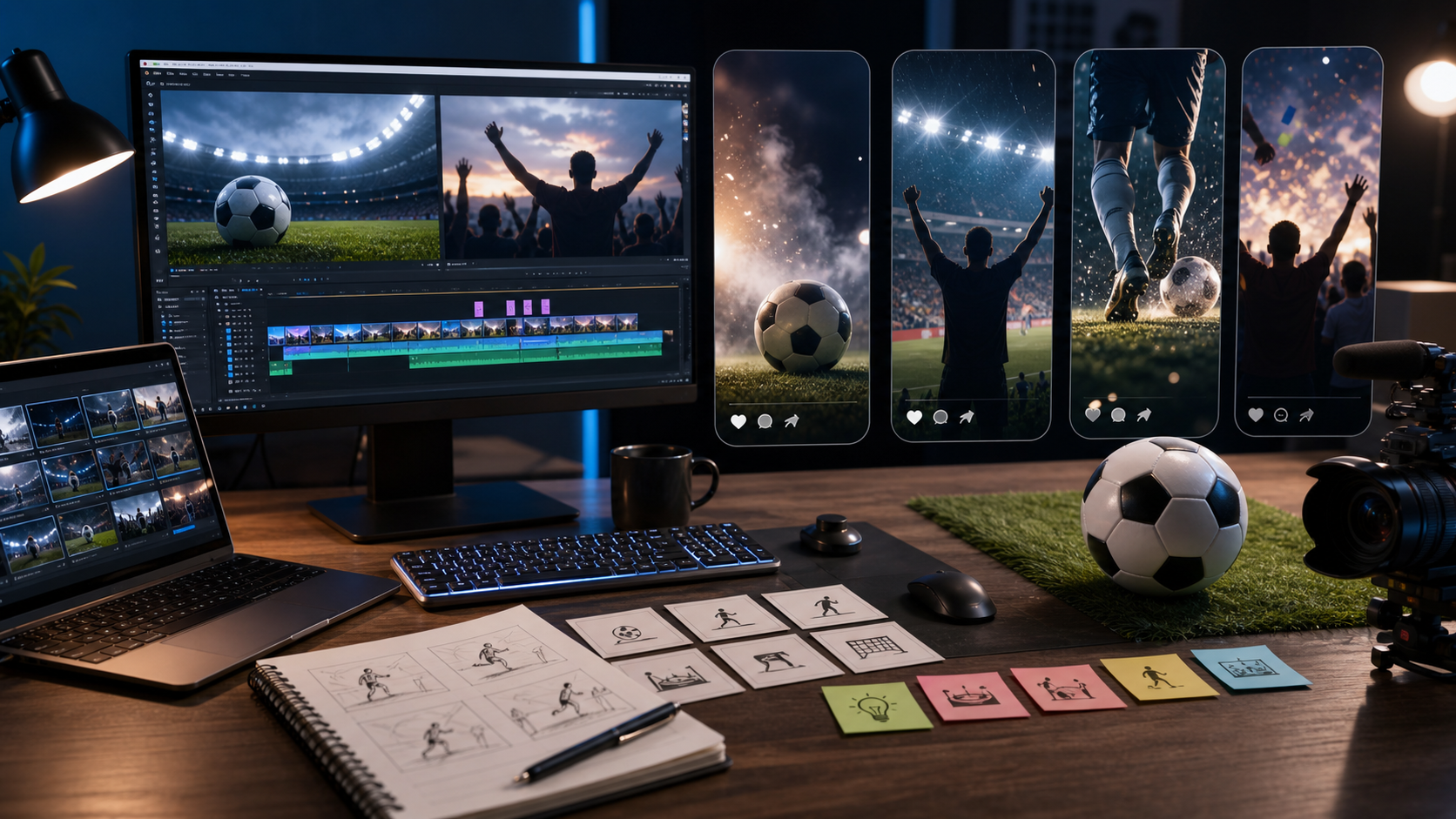
AI 海報工具最強的時機,是你需要在正式投入完成版設計之前,先探索視覺方向。創作者可以在幾分鐘內測試一張電影感球場海報、觀賽派對活動海報、復古主辦城市概念,或社群賽事圖卡,然後把最好的選項再精修成更完整的版面。
對創作者與行銷人來說,實用價值在於「快速迭代」。一個 足球海報產生器 可以在設計交給人類編輯之前,先協助比較戲劇化打光、球迷場景、留白標題區、配色盤與社群裁切比例。這對行銷草案、部落格視覺、YouTube 縮圖、Pinterest 圖釘,以及在地觀賽派對的創意內容特別有用。
除非你擁有權利,否則建議讓主題保持「泛用」。像是「足球主題海報」、「賽事靈感海報」或「比賽之夜觀賽海報」這類描述,比起暗示官方世界盃贊助的視覺宣稱更安全。如果你打算使用官方名稱、標誌、真實隊徽、球員肖像或即時比賽資訊,發布前請先確認授權與資訊正確性。

如何在 Sea Imagine 用 AI 製作世界盃海報
先從海報的任務開始,再撰寫提示詞(prompt)。觀賽派對海報需要可讀的活動資訊區;部落格封面則需要強烈的視覺焦點與標題空間。行銷草案可能需要產品置入、CTA 區塊,以及後續品牌字體的預留空間。
用 Sea Imagine AI 可採用以下流程:
- 選擇格式:部落格封面、方形社群貼文、4:5 動態牆海報、9:16 限動海報、活動傳單或行銷概念稿。
- 選擇主要視覺:球場、足球、歡呼球迷、泛用獎盃剪影、產品場景、城市天際線或虛構球員剪影。
- 在 Text to Image 撰寫提示詞,包含風格、光線、構圖、色盤與文字留白區。
- 使用 Sea Imagine AI Image Generator 生成多個海報方向。
- 選出最佳草稿,若需要調整版面、背景或氛圍,透過 Image to Image 進一步精修。
- 若需要精準文字呈現,請在設計工具中加入最終字體排版。
- 發布前檢查權利、宣稱、模型可用性、署名、浮水印規則與匯出品質。
實務上,最好的 AI 足球海報製作流程會把「影像生成」與「最終排版」分開。先請模型提供乾淨的標題留白與視覺層級,再到編輯器中加入精確的活動文字、日期、場地細節與贊助語句,確保每個字都能校對。

Text to Image 的 AI 足球海報提示詞
提示詞結構很重要,因為海報設計同樣依賴構圖,而不只是主體。一個強力的提示詞會告訴 Sea Imagine:海報用途是什麼、焦點元素是什麼、文字區域要放哪裡,以及哪些元素必須避免。
可重複使用的提示詞公式:
Create a [poster type] World Cup-themed football poster for [use case]. Show [main subject / scene / product / fan moment] in [setting]. Use [style], [lighting], [composition], and [color palette]. Include space for [headline / event text / CTA / date]. Keep the poster visually strong, readable, and social-ready. Avoid official FIFA logos, real team badges, player likenesses, broadcast screenshots, and unreadable tiny text unless rights are confirmed.
提示詞範例:
- Create a cinematic World Cup-themed football poster showing a generic stadium at night, bright floodlights, a football in the foreground, dramatic smoke, bold editorial composition, and clean space for a headline.
- Create a watch-party event poster for a final night. Show cheering fans, snacks, a large screen glow, red and gold lighting, modern social-poster layout, and blank space for date and venue text.
- Create a minimalist football poster with a generic trophy silhouette, stadium lights, deep blue background, elegant typography space, and a premium editorial feel, with no official FIFA branding.
- Create a retro travel-style host-city football poster featuring a stadium, skyline, warm sunset palette, vintage poster texture, and stylish headline space.
- Create a social media football match poster showing two fictional teams represented only by color themes, dynamic diagonal composition, stadium atmosphere, and bold text space for match time and event title.
- Use this fan photo as the base. Turn it into a polished World Cup-themed poster with stronger lighting, crowd atmosphere, confetti, dramatic contrast, and a clean event-promo layout.
- Use this product image as the base. Create a football-themed promotional poster with stadium lights, grass texture, energetic atmosphere, and clean space for a campaign headline and CTA.
- Create a football celebration poster showing a fictional player silhouette mid-kick, motion blur, glowing stadium atmosphere, cinematic lighting, and social-ready poster composition.
- Create a football meme-style poster with cheering fans, exaggerated reaction energy, bright colors, and headline space for a funny social caption, while keeping it polished and readable.
- Create a clean editorial poster for a World Cup viewing guide with a generic football scene, organized visual hierarchy, soft shadows, and space for section labels added later.
在 AI 海報設計中想要可讀文字時,請把模型輸出視為視覺底圖。如果圖片中出現變形文字或很小的偽文字,請用「blank headline space」要求重新生成,或在編輯器中先移除文字再發布。

用 Image to Image 當作海報編輯器
Image to image 最適合在你已經有草圖、參考照片、產品圖或粗略海報版面時使用。你不需要從空白提示詞開始,而是上傳基底視覺,並告訴 Sea Imagine 要保留什麼、要改什麼。
使用這個 image-to-image 公式:
Use this uploaded image as the base. Preserve [subject / composition / product / person / object / layout] while changing [background / style / mood / lighting / text zone / poster format]. Create a polished World Cup-themed poster look with clean typography space, strong focal point, and clear visual hierarchy. Avoid official logos, real player likenesses, and cluttered layouts.
這個流程對三種常見情境很有用。第一,你可以把粗略草圖變成足球海報:保留版面,並把背景換成球場燈光。第二,你可以把觀賽派對照片重新定調為更具電影感的活動海報。第三,你可以用產品圖作為基底,生成具有草地質感、探照燈光與乾淨 CTA 區域的行銷海報。
用 AI 編輯海報版面時,要清楚說明哪些部分不能改。如果產品外形、人物姿勢或構圖很重要,就要直接寫明。接著再檢查輸出是否出現身份改變、物件變形、誤入的標誌與文字雜訊。

Seedream 5.0、GPT Image 2 與 Grok Imagine 海報流程
依你要解決的海報問題,選擇合適的模型路徑。Sea Imagine AI 是本指南的主要瀏覽器工作流程,並在 Sea Imagine 生態內提供 Seedream 5.0 AI Image Generator 與 GPT Image 2 AI Image Generator 作為模型選項。對於想要另一個以提示詞驅動的選擇或編輯路徑的創作者,Grok Imagine via Flaq AI 與 Grok Imagine Edit 值得比較。
| Workflow | Best fit | Practical note |
|---|---|---|
| Sea Imagine AI Image Generator | 一般海報發想 | 適合用來啟動足球海報產生器概念與社群版面。 |
| Text to Image | 由提示詞生成全新海報概念 | 當你對場景、風格與版面有明確想法時使用。 |
| Image to Image | 編輯或重新風格化既有視覺 | 當你想保留基底圖片或構圖時使用。 |
| Seedream 5.0 | 風格化圖像模型探索 | 適合用於 Seedream 5.0 海報提示詞與偏行銷風格的變體。 |
| GPT Image 2 | 結構化視覺提示詞與更「識字」的草稿 | 適合把「可讀文字」納入流程,但仍需人工校對最終文字。 |
| Grok Imagine on Flaq AI | 額外的海報生成比較 | 用於產生不同的 Grok Imagine 海報變體作比較。 |
| Flaq AI Image to Image | 參考圖導向的海報編輯 | 用於在 Sea Imagine 之外比較不同的編輯流程。 |
不要把模型名稱當作「可用性、價格、匯出品質、浮水印行為或商業授權」的保證。在進行客戶專案或付費發布前,請立即檢查目前模型頁面、帳戶點數、條款與輸出設定。
想了解更多 Sea Imagine 工作流程背景,請參考 How to Use Sea Imagine AI's Image Generator、ChatGPT Image 2 Release: Features, Prompts, and API Guide、以及 ChatGPT Image 2 vs Seedream 5。想比較更廣泛影像工作流程的創作者,也可以閱讀 Flaq AI 指南:GPT Image 2 API and prompts 與 Image to Image creation,以及來自 Chat4o、HeyDream、Seevido 的相關提示詞與模型比較文章。

發布足球海報設計前的檢查要點
最終檢查應該在海報離開你的草稿資料夾之前完成。足球海報若包含受保護標記、真實隊徽、真實球員肖像、賽事措辭或轉播風格圖像,很容易在不經意間暗示官方關聯。
使用這份清單:
- 品牌:在商業創作中使用官方賽事名稱、標誌、徽章或類獎盃意象前,請先查看 FIFA Brand Protection 與 FIFA World Cup 26 IP Guidelines。
- 即時資訊:賽程、比分與積分榜只從官方頁面核對,例如 FIFA World Cup 2026 match schedule、scores and fixtures、以及 standings。
- 權利:除非你有許可,否則避免使用真實球隊標誌、隊徽、足協符號、贊助商標誌、球員肖像、名人臉孔與轉播截圖。
- 文字:所有標題、活動日期、場地、CTA 與免責聲明都要逐字人工校對。
- 商業用途:用於廣告或客戶活動前,確認平台條款、模型可用性、點數、浮水印規則與匯出授權。
- 品質:以正確比例匯出,檢查各平台裁切安全區,並檢視手部、球、臉部、旗幟、徽章與偽文字是否變形。
最安全的發布方向是「足球靈感海報」而不是「官方賽事海報」。你仍然可以使用球場燈光、球迷熱情、以足球為視覺焦點,以及乾淨的海報構圖,而不暗示背書或認可。

世界盃海報設計 AI 常見問題
對新手來說,最好的 Sea Imagine AI 流程是什麼?
從 Text to Image 搭配一個簡單的海報提示詞開始。要求一個清楚的焦點元素、戲劇化打光,以及空白標題留白。找到方向後,再用 image to image 做重新風格化或版面微調。
我可以在 AI 海報中使用官方世界盃 Logo 嗎?
只有在你確認具備必要權利時,才使用官方 Logo、賽事標記、隊徽、球員肖像或類獎盃意象。對一般社群貼文與行銷草案而言,泛用的足球視覺更安全。
GPT Image 2 比較適合做海報文字嗎?
GPT Image 2 可能對「文字感知」的海報流程有幫助,但你仍應人工校對或手動加入最終字體排版。精準的活動文字、日期與 CTA 都需要人為審核。
什麼時候該用 Flaq AI 的 Grok Imagine?
當你想用另一個提示詞驅動的圖像生成器來比較視覺方向時,使用 Grok Imagine via Flaq AI 。當你想要另一條參考圖導向的編輯路徑時,使用 Grok Imagine Edit 或 Flaq AI Image to Image。
足球海報應該用什麼長寬比?
部落格封面與橫幅文章視覺用 16:9,動態牆海報用 4:5,方形社群圖用 1:1,限動或直式活動宣傳用 9:16。發布前務必先預覽裁切效果。

結論:建立更安全的世界盃海報產生器工作流程
世界盃海報產生器能幫你更快把想法變成更精緻的足球海報概念,尤其當你先規劃使用情境、在提示詞中要求乾淨的版面留白,並在發布前完成權利審查時。以 Sea Imagine AI 作為文字生成圖片、圖片生成圖片、Seedream 5.0 與 GPT Image 2 的主要海報實驗流程;當你想要另一個提示詞或編輯路徑時,再透過 Flaq AI 比較 Grok Imagine。
下一份草案建議做三個版本:一張電影感球場海報、一張觀賽派對活動海報,以及一張帶有空白標題留白的極簡足球海報。接著把最好的那張再針對裁切、字體排版、權利與匯出品質進行編修,最後再公開分享。