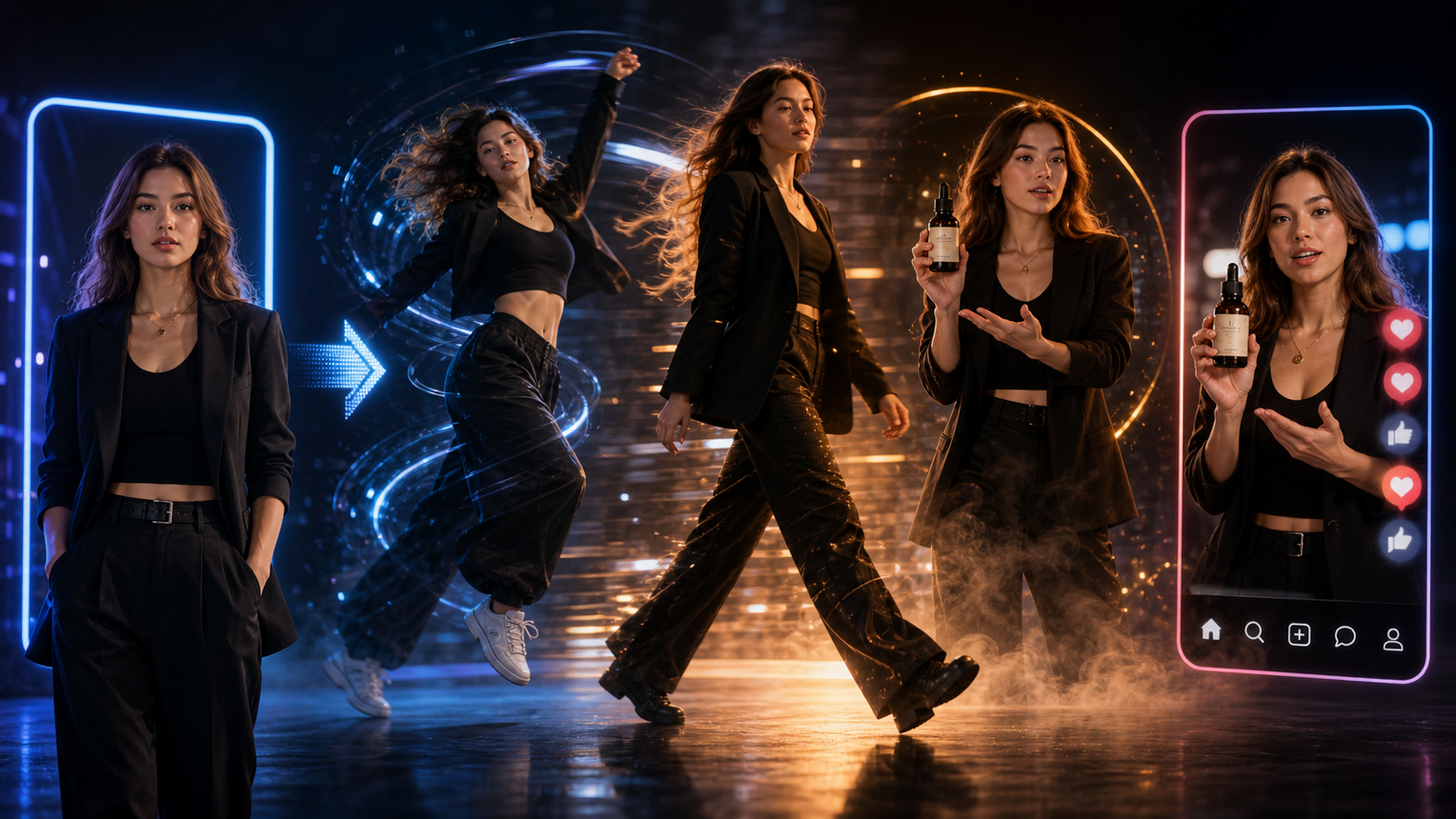
If you want to use the Seedance 2.0 AI video generator for UGC-style product videos, start with a short ad scene instead of a broad video idea. The best prompts tell SeaImagine AI who the creator is, where they are filming, what product action happens on camera, how the shot should move, and what the final CTA should feel like.
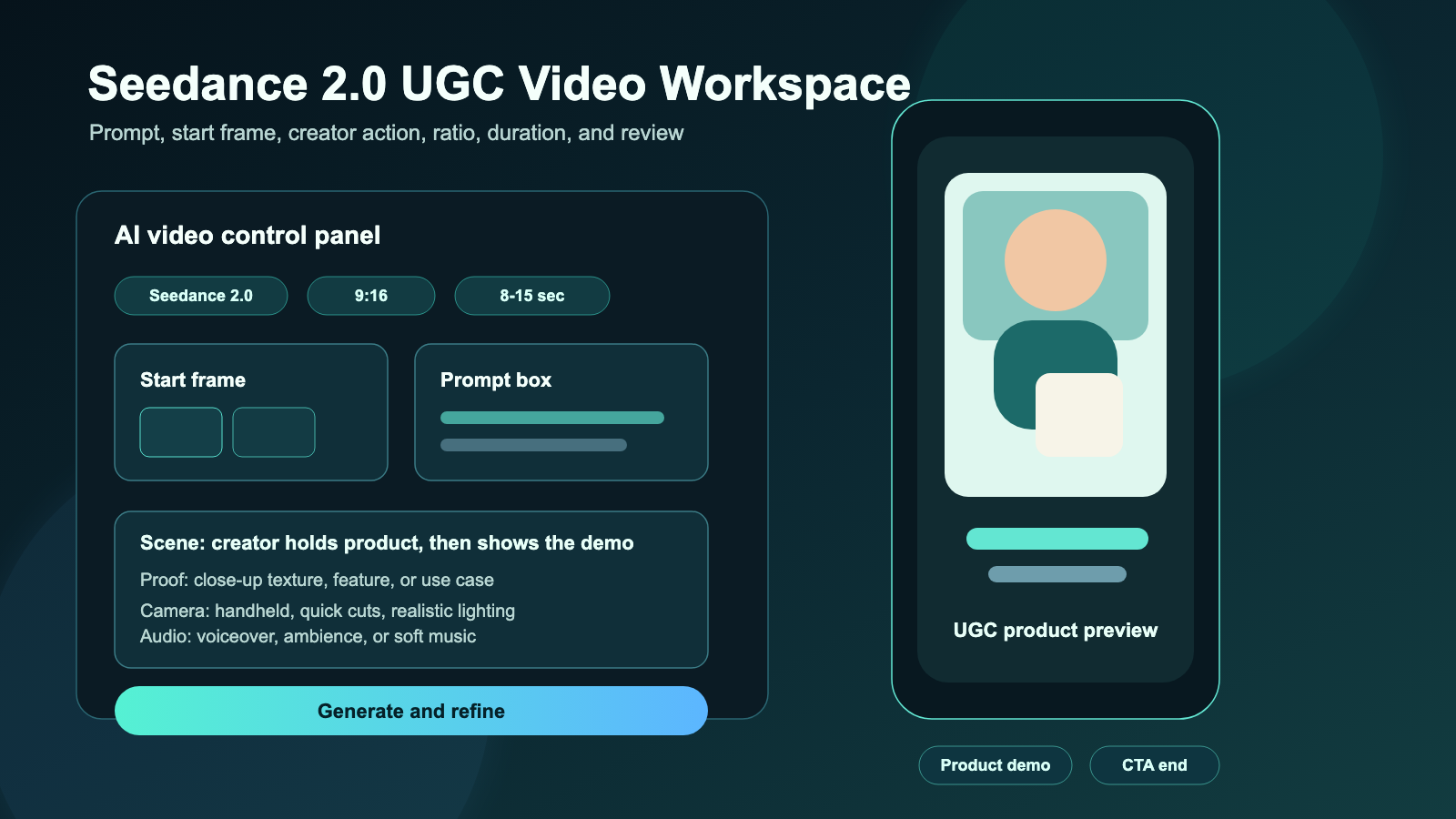
This guide is written for creators, marketers, e-commerce sellers, agencies, and small brands that need draft ad creatives, product demo concepts, TikTok/Reels-style clips, and quick UGC variations. It briefly covers the SeaImagine AI workflow, then gives you a reusable formula and copy-to-use Seedance 2.0 UGC video prompts you can adapt for real campaigns.
Quick Summary
Use SeaImagine AI as the workspace, choose Seedance 2.0 as the model, then decide whether your idea should start from text, an image, or a video reference. For product ads, image to video AI generator workflows are useful when the packaging, shape, or first frame needs to stay recognizable, while text prompts work well for concept testing.
Think of this article as a practical SeaImagine AI video prompt guide for short creator ads. It can support a SeaImagine AI video generator workflow, an AI product demo video generator test, an AI image to video product demo pass, or a simple SeaImagine AI creator video tool workflow when you need new SeaImagine AI ad video ideas quickly.
The practical goal is not to publish the first AI output unchanged. Treat AI UGC videos as draft ad creatives or concept videos, then review product accuracy, claims, rights, music/audio usage, platform ad policies, and disclosure rules before publishing or running paid ads.
Why Seedance 2.0 UGC Video Prompts Need Scene-Level Detail
A useful Seedance 2.0 prompt guide should focus on visible behavior. UGC ads work because they look like a real person using a product in a believable setting, so the prompt needs more than a product name and a benefit.
For example, "make a skincare ad" is too vague. A stronger prompt says the creator is filming in a bathroom, the light is soft, the product dropper appears in close-up, the texture is shown on the hand, and the creator applies it naturally while speaking in a calm morning-routine tone. That gives the model a scene to build, not just a marketing claim.
Use Seedance 2.0 product video prompts when you need:
- A creator-style product demo with natural handheld movement.
- A product image to UGC video concept that keeps the item central.
- A short-form ad structure with hook, demo, proof moment, and CTA.
- A vertical 9:16 video idea for TikTok, Reels, Shorts, or paid social.
- A repeatable SeaImagine AI UGC video workflow for testing multiple hooks.
How to Use SeaImagine AI for a Seedance 2.0 Short Video Workflow
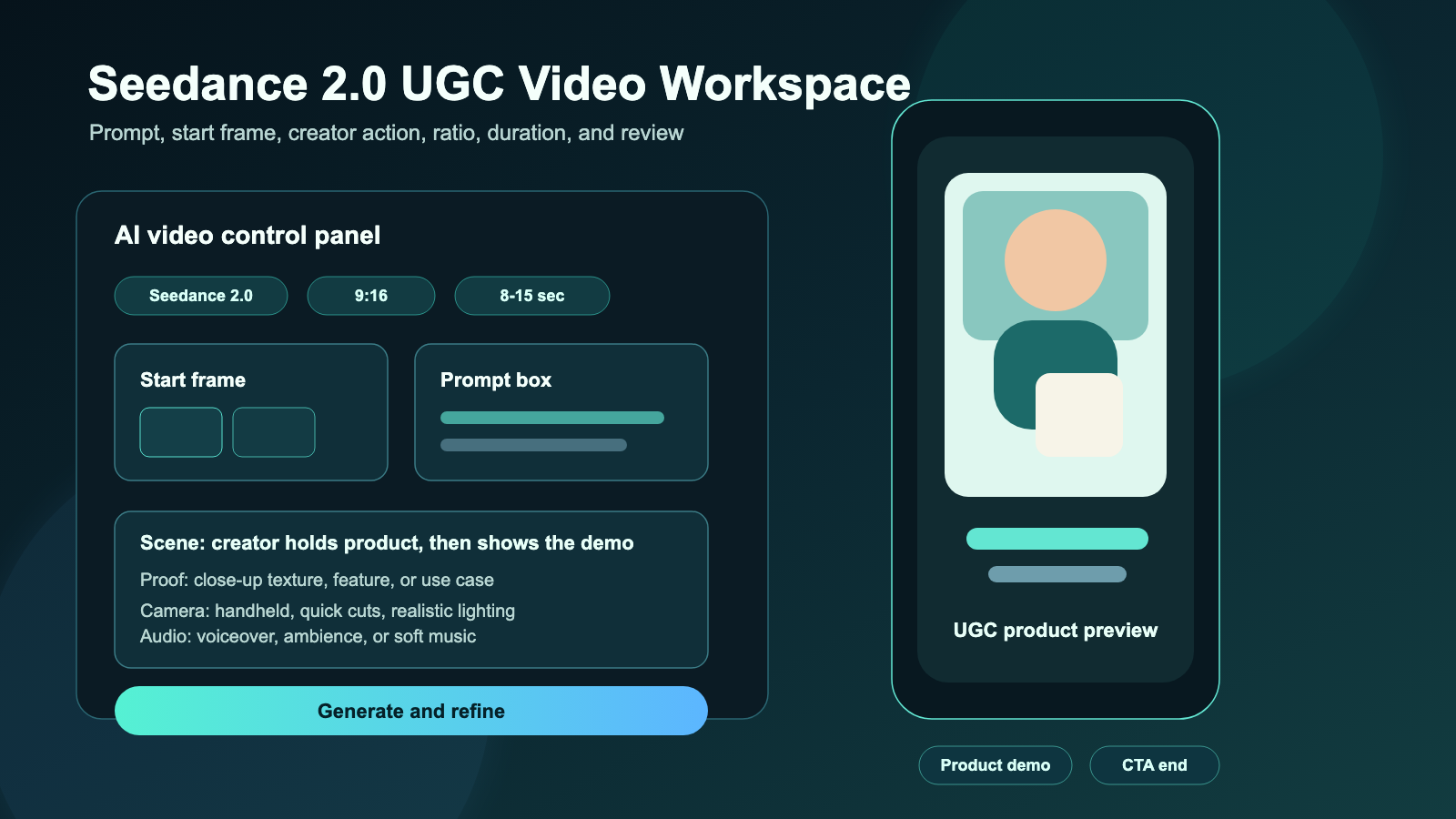
The Seedance 2.0 short video workflow is easiest when you choose the input type first. Use text input when you are exploring a scene from scratch. Use image input when you already have a product photo, package shot, creator reference, start frame, or visual style direction. Use video input when a motion reference is relevant and available.
A simple workflow looks like this:
- Open the Seedance 2.0 model page on SeaImagine AI.
- Choose text, image, or video input based on your starting asset.
- Upload a start frame, product photo, or reference image if product consistency matters.
- Write a scene-based UGC prompt with creator persona, setting, hook, action, product demo, proof moment, and CTA.
- Specify camera movement, natural speaking style or audio direction, ratio, resolution, and duration.
- Generate the clip, then review the output for product visibility, motion realism, claim safety, and editability.
- Refine the prompt by changing one variable at a time: hook, setting, creator action, camera movement, duration, or CTA.
The visible controls and naming on SeaImagine may change over time, so treat this as a practical workflow rather than a fixed interface manual. The core habit stays the same: write the ad as a sequence of visible moments.
Reusable Prompt Formula for Seedance 2.0 UGC Ads
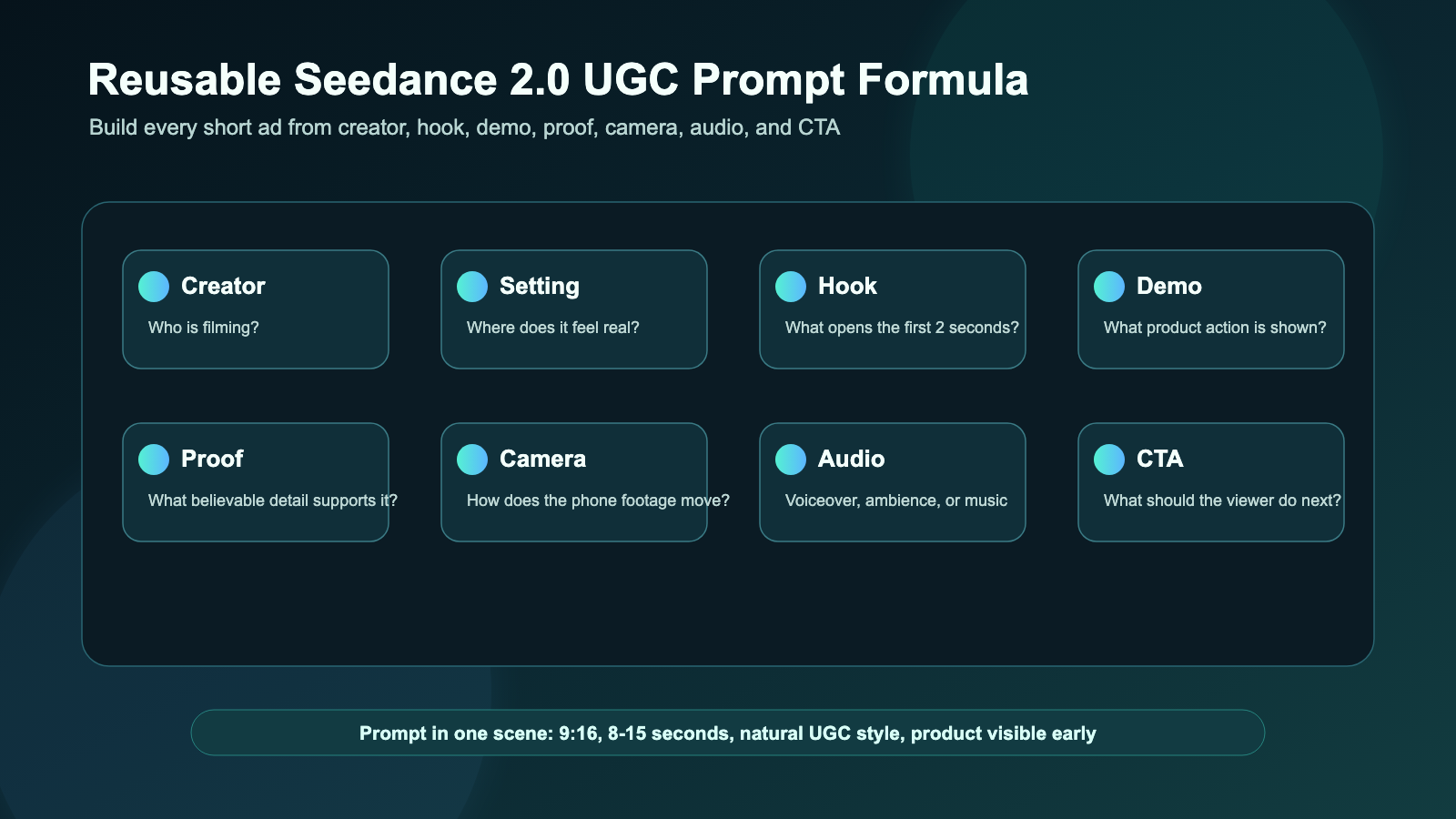
Use this formula for AI UGC video prompt examples and Seedance 2.0 creator video prompts. Replace the bracketed sections with your product, setting, creator type, and CTA.
Create a 9:16 UGC-style video for [product/service]. A [creator persona] films in [realistic setting] with a casual handheld phone-camera style. Hook: "[short hook line]." Show [product action/demo] clearly. Add a believable proof moment: [texture, result, feature, comparison, use case]. Mood: natural, conversational, not overproduced. Camera: close-up product shots, slight handheld motion, quick cuts, stable subject, realistic lighting. Audio: [natural voiceover / ambient sound / soft background music]. End with [CTA]. Duration: [8-15 seconds].
This structure works because it separates the ad into the pieces a viewer actually notices: the opening line, the product action, the proof moment, the camera style, and the CTA. It is also flexible enough for an AI UGC ad video workflow, a text to UGC video generator workflow, or an image reference AI video workflow where a still product image anchors the scene.
Copy-to-Use Seedance 2.0 UGC Video Prompts
These prompts are written as practical starting points for a Seedance 2.0 ad video generator workflow. Before using them in a campaign, replace generic product names with your real product details, remove unsupported claims, and keep any final claims in editable captions or voiceover where your team can review them.
1. Vitamin C Serum
Create a 9:16 UGC-style video for a vitamin C serum. A skincare creator films in a bathroom with soft morning light. Hook: "I wanted something simple for dull skin." Show the dropper, texture on the hand, and gentle face application. Keep the tone natural and realistic. Add soft bathroom ambience and end with: "Add it to your morning routine."
2. Portable Blender
Create a vertical UGC video for a portable blender. A creator films on a kitchen counter, adds fruit, milk, and ice, blends quickly, then pours the smoothie into a glass. Hook: "This is my fastest breakfast trick." Use handheld phone footage, quick close-ups, natural daylight, and a friendly creator reaction.
3. Wireless Microphone
Generate a Seedance 2.0 UGC ad for a wireless microphone. A creator records at a desk and clips the mic onto their shirt. Hook: "Your phone audio might be ruining your videos." Show a simple before-and-after audio moment. Keep the camera casual, close, and realistic.
4. Desk Organizer
Create a TikTok-style UGC video for a desk organizer. Start with a messy desk, then show the creator sorting pens, cables, and notes into the organizer. Hook: "My desk finally stopped stressing me out." Use satisfying quick cuts, natural room lighting, and a clean final reveal.
5. Travel Backpack
Generate a UGC video for a travel backpack. A creator packs clothes, a laptop, charger, bottle, and small pouch into the bag. Hook: "I packed three days into one backpack." Show each compartment clearly, with handheld camera movement and a final mirror shot.
6. Pet Grooming Brush
Create a short UGC ad for a pet grooming brush. A pet owner sits on the floor brushing a calm dog. Hook: "If your sofa is covered in fur, try this." Show gentle brushing, collected loose hair, and a happy pet moment. Avoid medical claims. Keep the scene warm and natural.
7. Phone Stand
Generate a product demo UGC video for a phone stand. A student creator places the phone stand beside a laptop, adjusts the angle, and uses it for a video call. Hook: "Tiny desk upgrade, huge difference." Use close-up product shots and a casual study-room mood.
8. Coffee Subscription
Create a creator-style UGC video for a coffee subscription. A creator opens the package, smells the beans, brews coffee, and takes the first sip. Hook: "This made my Monday feel expensive." Use cozy kitchen lighting, product packaging close-ups, and a relaxed morning vibe.
9. Budget Planner Notebook
Generate a UGC ad for a budget planner notebook. A creator sits at a cafe table with coffee and fills out monthly spending categories. Hook: "I needed a simpler way to track money." Show pen-on-paper close-ups, page flips, and a calm lifestyle mood.
10. Portable LED Lamp
Create a vertical UGC video for a portable LED lamp. A creator reads in bed, turns on the lamp, adjusts brightness, and places it beside the book. Hook: "This little lamp fixed my night routine." Use warm lighting, soft shadows, and a cozy bedroom scene.
11. Fitness Water Bottle
Generate a UGC-style product video for a fitness water bottle. A creator packs it into a gym bag, drinks after a workout, and shows the straw lid. Hook: "This is the bottle I actually remember to bring." Keep the pacing energetic but believable.
12. AI Writing Tool
Create a Seedance 2.0 UGC video for an AI writing tool. A creator sits at a laptop with a blank document, types a short idea, then reacts to a clean draft outline. Hook: "When your brain has zero ideas..." Avoid readable fake UI text. Keep it realistic, casual, and creator-friendly.
Text-to-Video vs Product Image to UGC Video
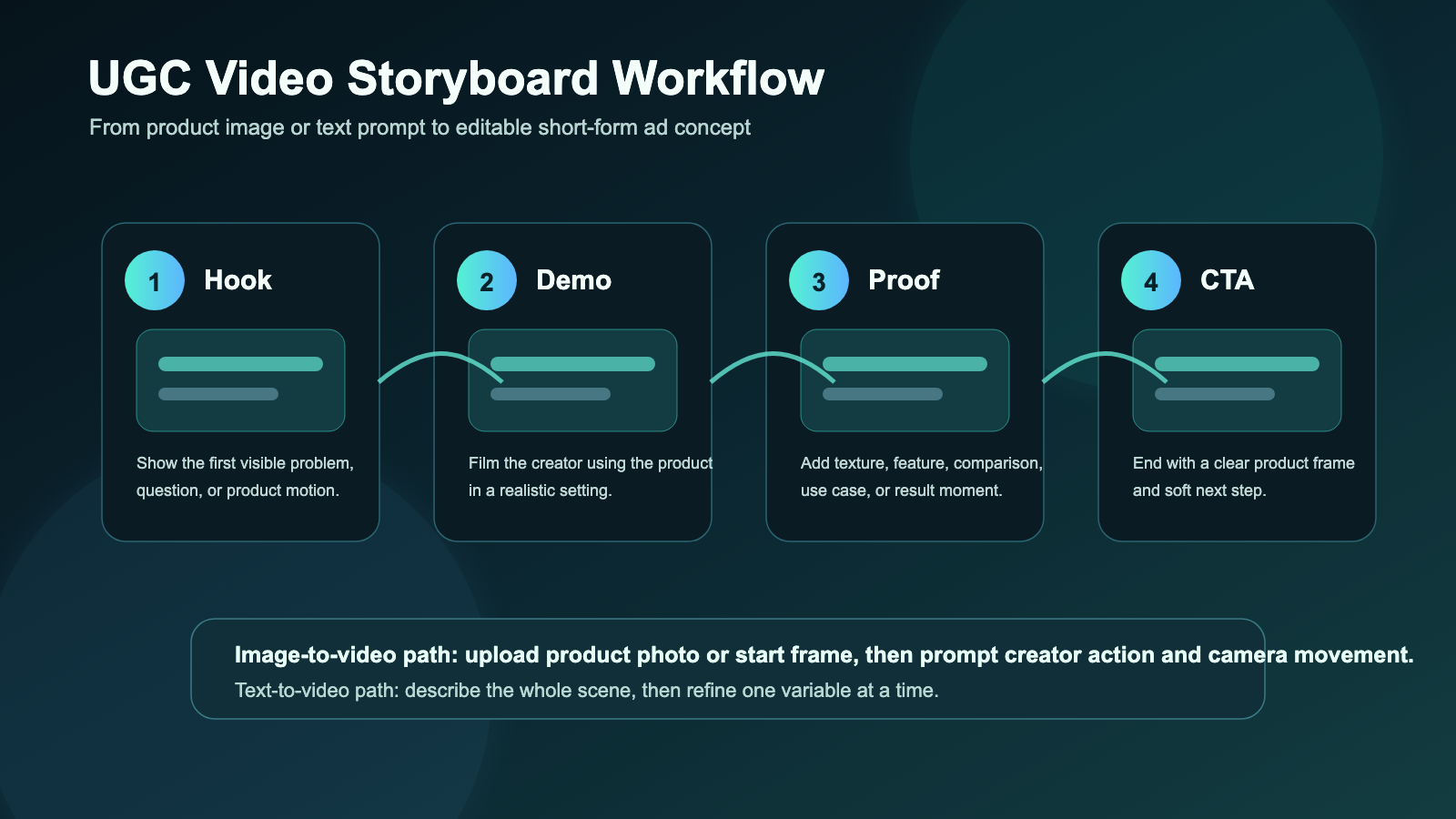
Use AI UGC video generator workflows when the scene can be invented from a prompt. This is useful for creator concepts, SaaS walkthrough ideas, general product demos, and early creative testing. A text prompt gives you freedom to test hooks quickly, but it may need more review if the product must look exact.
Use product image to UGC video workflows when the item itself matters. If you need to turn product photos into videos, upload a clean product shot or approved start frame, then ask for natural hand movement, close-ups, and a realistic setting around it. This is often better for packaging, labels, colors, and hero product shots.
For social ads, an image to TikTok ad video prompt should still include the UGC structure. The uploaded image helps with visual consistency, but the prompt needs to describe the creator action, camera movement, proof moment, and CTA. That is what turns a still image into an ad concept instead of simple animated b-roll.
| Starting point | Best SeaImagine path | Prompt focus |
|---|---|---|
| No product asset yet | AI UGC video generator | Creator persona, setting, product idea, hook, demo, mood |
| Product photo or package shot | image to video AI generator | Product visibility, start frame, hand action, camera movement |
| Approved first frame | start frame UGC video generator | Preserve composition, add natural motion, end on CTA space |
| Short ad concept test | SeaImagine AI short video generator | Hook variations, duration, ratio, creator action |
Prompt Tips for TikTok/Reels-Style Product Ad Videos
For UGC video prompts for AI tools, the first two seconds matter most. Ask for a visible action immediately: a dropper squeeze, blender filling, messy desk reveal, mic clipping onto a shirt, backpack packing sequence, or lamp turning on beside a book.
Keep the prompt specific, but not overloaded. One creator, one setting, one product action, one proof moment, and one CTA is usually enough for an 8-15 second clip. If you want a longer ad, generate separate scenes for hook, demo, proof, and CTA, then assemble the final edit outside the generator.
Useful prompt refinements include:
- "Keep the product visible in the first two seconds."
- "Use a casual handheld phone-camera style, not a polished studio commercial."
- "Show close-up product details without unreadable labels or fake text."
- "Leave clean space near the bottom for captions."
- "Use natural voiceover style, ambient room sound, or soft background music."
- "Avoid exaggerated before-and-after results."
These details help a SeaImagine AI product video prompts workflow produce clips that feel closer to creator content and easier to edit for paid social.
Compliance, Rights, and Claim Checks Before Publishing
AI UGC videos are best treated as draft creatives until a human review is complete. They can help you explore hooks, angles, product demos, and campaign concepts, but they should not be treated as verified customer testimonials or automatically approved ads.
Before publishing or running paid campaigns, check:
- Product claims: make sure benefits, comparisons, performance claims, and before/after moments are true and substantiated.
- Commercial usage rights: review SeaImagine AI terms, model terms, uploaded asset rights, and client usage requirements.
- Music and audio rights: confirm that background music, voiceover, sound effects, and any imported audio are licensed for the intended platform and campaign.
- Platform ad policies: review the current rules for TikTok, Instagram, YouTube, Meta, Amazon, Shopify apps, or any ad network you use.
- Disclosure rules: do not imply that an AI-generated creator is a real customer or real influencer endorsement unless it is clearly true and properly disclosed.
This is especially important for skincare, supplements, pets, finance, fitness, medical-adjacent products, and any category where a casual line can become a regulated or misleading claim.
Recommended Articles
- How to Use Seedance 2.0 on SeaImagine AI to Make Better Short Videos
- SeaImagine AI Text-to-Video Guide: How to Choose Models and Create Better Clips
- The 2026 Image-to-Video Guide for Sea Imagine AI: Best Models & Prompts
- Kling 3.0 Review: Is It the Best AI Video Generator Yet in 2026?
- SeaArt AI Video Generation: An Unbiased, Objective Review
- ChatGPT Image 2 vs Seedream 5: Which AI Image Model Should You Use?
People Also Read
- UGC Prompts for Seedance 2: How to Create Native AI Video Ads
- How to Use Seedance 2 to Create AI UGC Ads That Actually Feel Native
- Seedance 2.0 for TikTok Videos: How Creators Can Turn Ideas Into Scroll-Stopping Clips
- Seedance 2.0 Video Generation Guide: Tutorial + Prompts
- Seedance 2.0 vs Seedance 1.0: What's Better for AI Video
- How to Make TikTok UGC Videos with AI Talking Avatar Generator
FAQ
What should a Seedance 2.0 UGC video prompt include?
A strong prompt should include the product, creator persona, realistic setting, hook, demo action, proof moment, camera style, lighting, audio direction, ratio, duration, and CTA. For product ads, also mention whether you are using a product image, start frame, or text-only concept.
Should I use text-to-video or image-to-video for product UGC ads?
Use text-to-video when you are testing concepts from scratch. Use image-to-video when product appearance, packaging, label position, color, or start-frame composition matters. Many small brands can start with product photos, then generate several prompt variations around the same asset.
Can Seedance 2.0 create finished paid ads?
Seedance 2.0 can help generate draft ad creatives, concept videos, and short-form product demo clips. Before running paid ads, review the final video for accurate product claims, rights, platform policy compliance, and disclosure requirements.
How long should a UGC-style AI product video be?
For TikTok/Reels-style creative testing, 8-15 seconds is often a practical prompt range because it keeps the hook, demo, proof moment, and CTA focused. Longer videos usually work better when built from several short generated scenes.
How do I make AI creator ad video prompts feel more realistic?
Ask for natural handheld phone footage, realistic lighting, specific product actions, casual speech, slight camera movement, and believable proof moments. Avoid overproduced language, celebrity likenesses, fake testimonials, and exaggerated product results.
Conclusion
The most reliable way to use the Seedance 2.0 AI video generator for UGC-style ads is to write prompts like small ad scenes: hook, creator action, product demo, proof moment, camera direction, audio style, and CTA. SeaImagine AI gives creators and small brands a practical place to test those scenes with text, image, or video inputs, especially when the goal is fast short-form concepting.
Start with one formula, generate a few variations, review the output carefully, and keep every claim, right, and platform rule checkable before publishing.