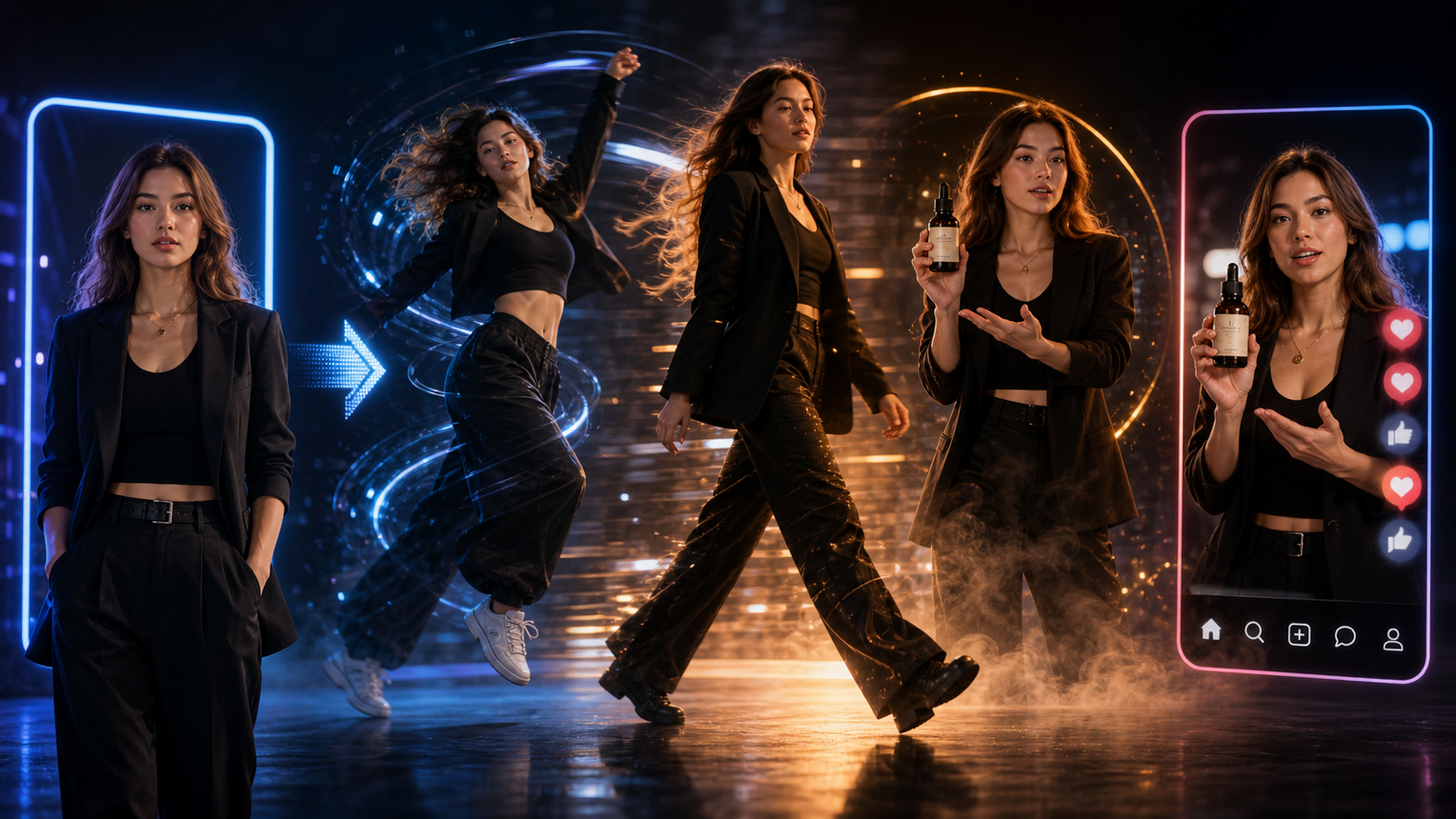
The Seedance 2.0 AI video generator on SeaImagine AI is useful for creators, marketers, e-commerce sellers, agencies, and small brands that want short UGC-style product videos without starting from a blank page. This guide gives you a simple workflow, a reusable prompt formula, and copy-to-use Seedance 2.0 UGC video prompts for product demos, creator reactions, tutorials, testimonial-style clips, and social ad concepts.
Use these prompts as draft creative, not as a publishing shortcut. AI-generated UGC can vary by model version, input image, prompt clarity, motion complexity, duration, ratio, and audio direction, so every output still needs review before it becomes a brand post or paid ad.

What Seedance 2.0 Is Useful For in UGC Video Creation
Seedance 2.0 is useful when your video idea can be described as a realistic creator scene. UGC-style videos usually work because the viewer understands who is filming, where they are, what product action is happening, and why the moment feels believable.
For SeaImagine AI users, that can mean short product demos, TikTok/Reels/Shorts-style clips, creator reactions, simple tutorials, testimonial-style concepts, and Seedance 2.0 product video prompts that show a real use case. A skincare prompt might show texture on the hand. A gadget prompt might show setup and a close-up. A desk product prompt might start messy and end organized.
The practical constraint is important: one creator, one setting, one product action, and one proof moment usually work better than a complicated mini commercial. Treat Seedance 2.0 as a way to draft creator-style ad ideas that can be reviewed, edited, and refined.

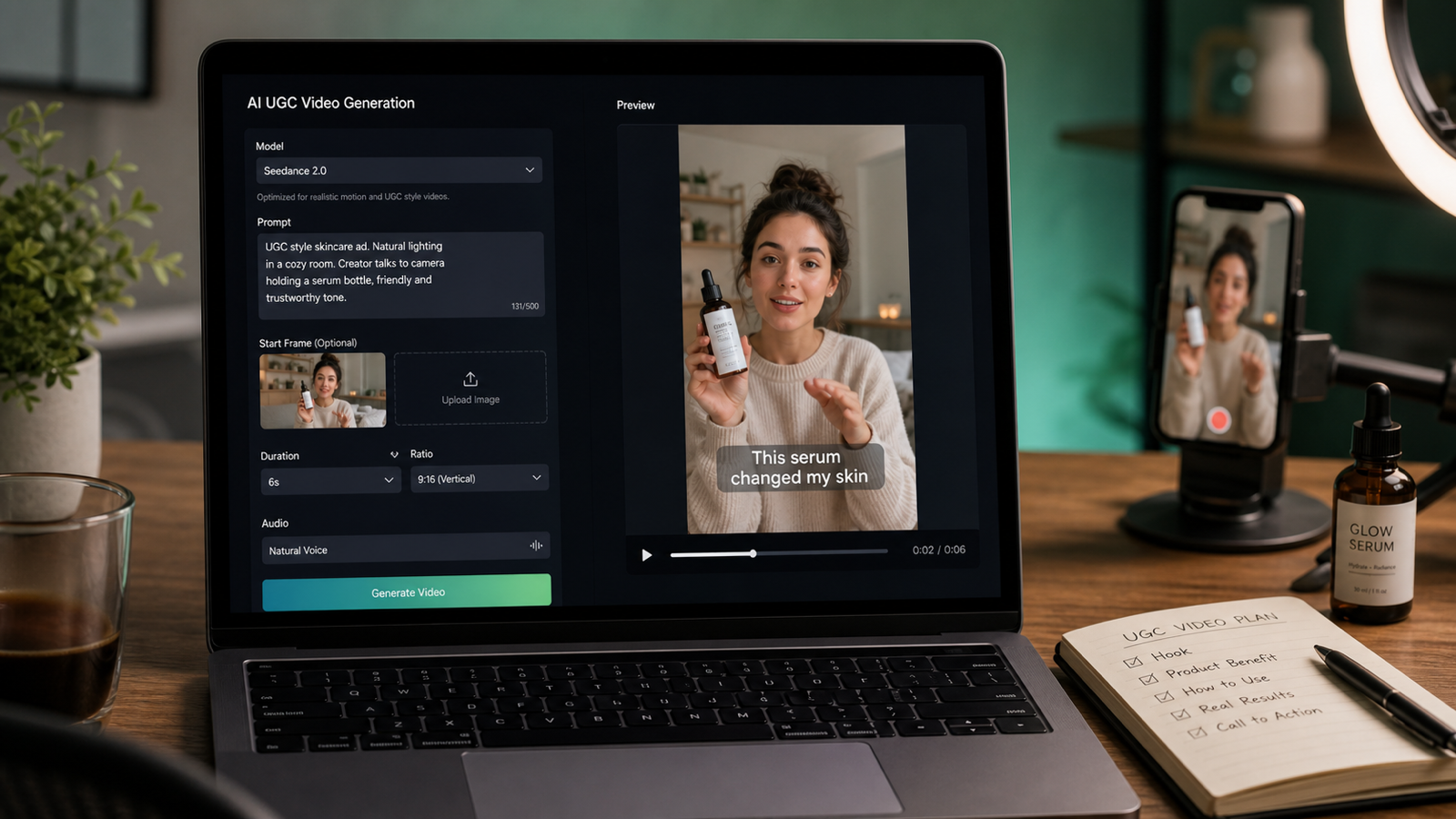
How to Use SeaImagine AI for Seedance 2.0 UGC Videos
SeaImagine AI is a practical browser-based workflow when you want to test Seedance 2.0 on SeaImagine AI alongside other visual AI models. Start by choosing the right input type: text for a new concept, image for a product photo or start frame, and video when a motion reference is relevant.
Use this workflow:
- Open the Seedance 2.0 model page on SeaImagine AI.
- Choose Seedance 2.0 as the model.
- Select text, image, or video input based on your starting material.
- Upload a product image, package shot, start frame, or creator reference when consistency matters.
- Write a scene-based UGC prompt with creator persona, setting, hook, product action, proof moment, camera, mood, audio, and CTA.
- Choose duration, ratio, resolution, and audio direction based on the platform and campaign idea.
- Generate the clip, then preview product visibility, creator behavior, camera motion, claim safety, and editability.
- Refine one variable at a time: hook, product action, setting, camera movement, proof moment, or CTA.
This Seedance 2.0 short video workflow is easier to manage when every prompt describes a visible ad scene. Instead of asking for "a great UGC ad," describe the first two seconds, the product demonstration, the proof moment, and the ending action.

Reusable Seedance 2.0 Prompt Guide Formula for UGC Ads
A strong Seedance 2.0 prompt guide for UGC ads should sound like a short creator brief. It should define the creator persona, the environment, the hook, the product action, the camera behavior, the proof moment, the mood, the audio, and the CTA.
Copy this formula:
Create a 9:16 UGC-style video for [product/service].
A [creator persona] films in [realistic setting] with casual handheld phone-camera energy.
Hook: "[first 2-second hook]."
Show [product action/demo/tutorial] clearly.
Emphasize [main benefit] without exaggerated claims.
Add a believable proof moment: [texture, size, use case, comparison, routine, result].
Camera: close-up product shots, quick but readable cuts, natural motion, stable subject.
Mood: authentic, conversational, social-native.
Audio: [natural voiceover / ambient sound / soft music / product sound].
End with [CTA].
Duration: [8-15 seconds].
The most important parts are hook, demo, proof, and CTA. A hook gives the viewer a reason to stop. The demo shows the product in use. The proof moment makes the scene more believable without relying on risky claims. The CTA tells the viewer what to do next.

12 Copy-to-Use Seedance 2.0 UGC Video Prompts
Use these AI UGC video prompt examples as starting points for SeaImagine AI product video concepts. Adjust product details, creator persona, proof moment, CTA, and ratio before generating.
1. Vitamin C Serum
Create a 9:16 UGC-style video for a vitamin C serum. A skincare creator films in a bathroom with soft morning light. Hook: "I wanted something simple for dull skin." Show the dropper, texture on the hand, and gentle face application. Keep the tone natural and realistic. End with: "Add it to your morning routine."
Best for skincare brands that want a soft morning-routine feel. Avoid strong skin transformation claims unless they are properly supported.
2. Portable Blender
Create a vertical UGC video for a portable blender. A creator films on a kitchen counter, adds fruit, milk, and ice, blends quickly, then pours the smoothie into a glass. Hook: "This is my fastest breakfast trick." Use handheld phone footage, quick close-ups, natural daylight, and a friendly creator reaction.
Best for a quick product demo where the action is visual and easy to follow.
3. Wireless Microphone
Generate a Seedance 2.0 UGC ad for a wireless microphone. A creator records at a desk and clips the mic onto their shirt. Hook: "Your phone audio might be ruining your videos." Show a simple before-and-after audio moment. Keep the camera casual, close, and realistic.
Best for creator tools, podcast accessories, and AI creator ad video prompts.
4. Desk Organizer
Create a TikTok-style UGC video for a desk organizer. Start with a messy desk, then show the creator sorting pens, cables, and notes into the organizer. Hook: "My desk finally stopped stressing me out." Use satisfying quick cuts, natural room lighting, and a clean final reveal.
Best for office products, productivity content, and small e-commerce brands.
5. Travel Backpack
Generate a UGC video for a travel backpack. A creator packs clothes, a laptop, charger, bottle, and small pouch into the bag. Hook: "I packed three days into one backpack." Show each compartment clearly, with handheld camera movement and a final mirror shot.
Best for practical feature demos where compartments and scale matter.
6. Pet Grooming Brush
Create a short UGC ad for a pet grooming brush. A pet owner sits on the floor brushing a calm dog. Hook: "If your sofa is covered in fur, try this." Show gentle brushing, collected loose hair, and a happy pet moment. Avoid medical claims. Keep the scene warm and natural.
Best for pet products that need a warm home setting and a visible product action.
7. Phone Stand
Generate a product demo UGC video for a phone stand. A student creator places the phone stand beside a laptop, adjusts the angle, and uses it for a video call. Hook: "Tiny desk upgrade, huge difference." Use close-up product shots and a casual study-room mood.
Best for desk accessories and SeaImagine AI product video prompts where the demo can happen in one scene.
8. Coffee Subscription
Create a creator-style UGC video for a coffee subscription. A creator opens the package, smells the beans, brews coffee, and takes the first sip. Hook: "This made my Monday feel expensive." Use cozy kitchen lighting, product packaging close-ups, and a relaxed morning vibe.
Best for lifestyle brands and subscription products with sensory details.
9. Budget Planner Notebook
Generate a UGC ad for a budget planner notebook. A creator sits at a cafe table with coffee and fills out monthly spending categories. Hook: "I needed a simpler way to track money." Show pen-on-paper close-ups, page flips, and a calm lifestyle mood.
Best for stationery, planning products, and financial wellness content. Avoid implying financial outcomes that the product cannot guarantee.
10. Portable LED Lamp
Create a vertical UGC video for a portable LED lamp. A creator reads in bed, turns on the lamp, adjusts brightness, and places it beside the book. Hook: "This little lamp fixed my night routine." Use warm lighting, soft shadows, and a cozy bedroom scene.
Best for cozy home products where lighting, mood, and product action are the selling points.
11. Fitness Water Bottle
Generate a UGC-style product video for a fitness water bottle. A creator packs it into a gym bag, drinks after a workout, and shows the straw lid. Hook: "This is the bottle I actually remember to bring." Keep the pacing energetic but believable.
Best for fitness accessories and short creator-style ad concepts.
12. AI Writing Tool
Create a Seedance 2.0 UGC video for an AI writing tool. A creator sits at a laptop with a blank document, types a short idea, then reacts to a clean draft outline. Hook: "When your brain has zero ideas..." Avoid readable fake UI text. Keep it realistic, casual, and creator-friendly.
Best for software products where you want to show the user problem, not fake detailed interface text.
These UGC video prompts for AI tools work best when the product action is clear. If a scene needs multiple angles or several benefits, generate separate short clips and edit the strongest moments together.

Text-to-Video vs Image-to-Video for UGC Product Ads
Use the AI UGC video generator workflow when you want to test a new creator scene from text. Text prompts are useful for exploring hooks, settings, creator personas, testimonial-style concepts, and AI UGC ad video workflow variations before you have final product assets.
Use the image to video AI generator workflow when the product photo, packaging, logo placement, or first frame needs to stay recognizable. This is especially useful for product image to UGC video concepts, AI image to video product demo tests, and start-frame product scenes.
For image workflows, write prompts that separate the stable object from the motion. For example: "Keep the phone stand shape consistent. A student places it beside a laptop, adjusts the angle, and starts a video call. Handheld close-ups, natural study-room lighting, friendly voiceover." That gives the model both a visual anchor and a UGC action.
If you want to turn product photos into videos, start with a clean product image and ask for one simple demo. If you want an image to TikTok ad video, keep the result vertical, creator-led, and easy to edit.

How to Refine Seedance 2.0 UGC Prompts
Refinement is where most Seedance 2.0 creator video prompts become more usable. If the first output feels artificial, simplify the scene before adding more detail.
Use these fixes:
- If the product changes shape, upload a clearer product image or start frame.
- If the creator action is unclear, reduce the prompt to one demo: open, pour, apply, clip, pack, adjust, brush, write, or reveal.
- If the hook feels generic, make it more situational: "I packed three days into one backpack" is stronger than "This bag is great."
- If the camera feels too polished, ask for casual handheld phone-camera energy and readable close-ups.
- If the video is too busy, remove extra props, locations, or scene changes.
- If product claims feel risky, replace them with a visible proof moment, such as texture, size, routine, setup, or use case.
- If fake UI text appears, ask for no readable interface text and add captions later in your editor.
The goal is not to make the prompt longer. The goal is to make the ad clearer: hook, product action, proof moment, creator reaction, and CTA.

Publishing Checks Before Using AI-Generated UGC Ads
AI-generated UGC should be treated as draft creative or ad concept material. Before publishing, exporting to a client, or running paid media, review the rights, claims, and platform rules around the final asset.
Check these items:
- Product claims: Confirm every benefit, comparison, result, testimonial, and demonstration is accurate and supportable.
- Commercial usage rights: Review SeaImagine AI terms, plan limits, model usage rules, and source asset permissions.
- Music and audio rights: Verify voiceover, sound effects, uploaded audio, and music licensing before paid use.
- Platform ad rules: Check policies for TikTok, Instagram, YouTube, Meta, marketplaces, and ad networks.
- Disclosure requirements: Follow relevant ad disclosure, sponsored content, synthetic media, and influencer-style endorsement rules.
- Privacy settings: Keep unreleased products, client materials, private references, and internal tests protected.
- Brand safety: Review faces, hands, background objects, packaging, visible text, logos, and unintended claims.
This caution is especially important for a SeaImagine AI short video generator workflow because UGC ads can look publish-ready while still needing compliance review. A good AI draft is useful, but it is not a substitute for rights checks, product review, and final editing.

Recommended Articles for SeaImagine AI and Seedance 2.0 Workflows
Use these articles when you want to compare models, improve prompts, or build a broader SeaImagine AI workflow for text-to-video, image-to-video, and UGC product ads.
Related articles:
- Seedance 2.0 AI Video Generator: UGC Prompt Guide for SeaImagine AI
- How to Use Seedance 2.0 on SeaImagine AI to Make Better Short Videos
- SeaImagine AI Text-to-Video Guide: How to Choose Models and Create Better Clips
- The 2026 Image-to-Video Guide for Sea Imagine AI: Best Models & Prompts
- Kling 3.0 Review: Is It the Best AI Video Generator Yet in 2026?
- How to Use Grok Imagine AI Video Model on SeaImagine AI
People also read:
- UGC Prompts for Seedance 2: How to Create Native AI Video Ads
- How to Use Seedance 2 to Create AI UGC Ads That Actually Feel Native
- Seedance 2.0 for TikTok Videos: How Creators Can Turn Ideas Into Scroll-Stopping Clips
- Seedance 2.0 Video Generation Guide: Tutorial + Prompts
- Seedance 2.0 Prompt Tips for More Human, Realistic AI Video
- Seedance 2.0 Video Generation Guide: How to Get Controlled, Consistent Results

FAQ: Seedance 2.0 UGC Prompts on SeaImagine AI
What should a Seedance 2.0 UGC prompt include?
A good prompt should include product or service, creator persona, setting, first two-second hook, product action, proof moment, camera movement, mood, audio direction, CTA, duration, and ratio.
Should I use text-to-video or image-to-video for UGC ads?
Use text-to-video when you are exploring a new creator scene from scratch. Use start frame UGC video generator or image-to-video workflows when product appearance, packaging, or first-frame consistency matters.
Can SeaImagine AI help make product demo videos?
SeaImagine AI can support product demo concepts through text-to-video and image-to-video workflows. Treat the output as a draft, then verify product accuracy, claims, rights, and platform rules before publishing.
How long should a UGC prompt video be?
For short creator-style ads, 8 to 15 seconds is a practical prompt range because it gives enough time for hook, demo, proof moment, and CTA without overloading the scene.
How do I avoid unrealistic AI UGC results?
Use one product action, one setting, natural phone-camera movement, visible close-ups, and cautious claims. If the result feels too polished or chaotic, simplify the prompt and regenerate.

Conclusion: Build a Repeatable SeaImagine AI UGC Video Workflow
The Seedance 2.0 AI video generator is most useful for UGC video creation when you give it a clear scene: creator, setting, hook, product action, proof moment, camera style, audio, and CTA. SeaImagine AI gives creators, marketers, e-commerce sellers, agencies, and small brands a simple browser-based way to test Seedance 2.0 with text, image, and visual input workflows.
Start with one product idea, write a short creator-style scene, generate a draft, and refine based on what the preview shows. That repeatable process is more reliable than chasing a perfect first output, and it keeps your final review focused on product accuracy, rights, platform rules, disclosure, and brand safety.